


On this page
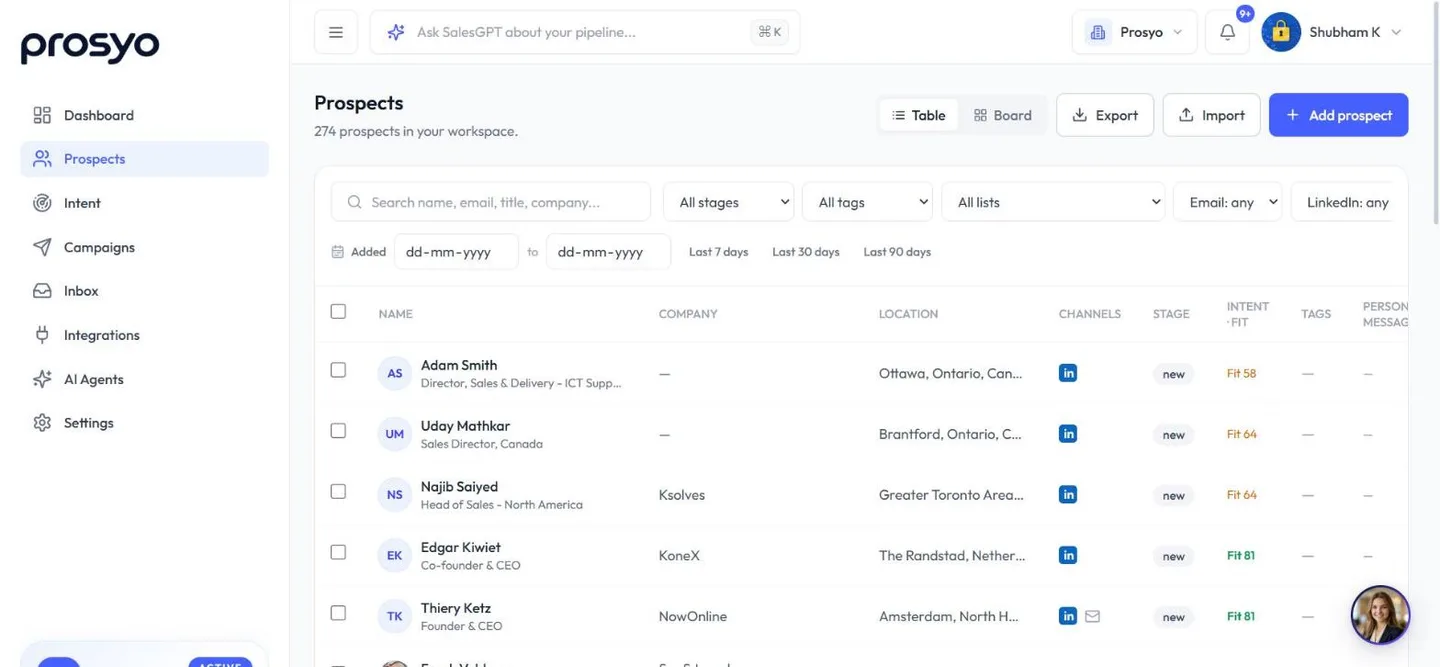
Every prospect has a stage. Stages show where each conversation stands.
Stages#
| Stage | Meaning | Set by |
|---|---|---|
| New | Imported, not yet contacted | Prosyo, on import |
| Contacted | At least one step was sent | Prosyo, automatically |
| Replied | They replied on LinkedIn or email | Prosyo, automatically |
| Interested | They want to talk | Prosyo, when a reply reads as interested, or you |
| Meeting | They asked for a meeting, or one is booked | Prosyo, when a reply asks for a meeting, or you |
| Customer | They bought | You (or Already a customer in Intent) |
| Not interested | They declined | Prosyo, when a reply says no, or you |
Prosyo moves people to Contacted and Replied for you. It also reads each reply: when a reply reads as interested, asks for a meeting or says no, Prosyo moves the person to Interested, Meeting or Not interested. It doesn't move anyone out of Meeting or Customer this way. Check these stages as you work the Inbox, and change any that don't fit. Only you know if a reply is real pipeline.
When a reply says no, or you click Not interested in the Inbox, that person's remaining campaign steps stop. Changing a stage in Prospects doesn't stop a campaign. To stop all outreach to someone, suppress them (below).
Do not contact#
To stop all outreach to someone for good:
- In Prospects, select them and click Suppress.
- In the Inbox, open their conversation and click DNC, then Mark do not contact.
Their running campaign steps stop straight away, and campaigns won't contact them again. They show as (suppressed) in the table. A reply that asks you not to contact them again does the same and moves them to Not interested.
Suppressing someone stops every future send to that person, in every campaign.
Table and board views#
At the top of Prospects, switch between:
- Table for searching, filtering, bulk actions, enrichment and export.
- Board for a pipeline view with one column per stage. Each column shows its first 40 people. Switch to Table for the rest.
Change a stage#
- Board: drag the card to a new column, or pick a stage from the menu on the card.
- Table: select rows and choose a stage under Set stage....
- Side panel: open a prospect and change Stage on the Overview tab.
- Inbox: change the stage in the conversation header, or click Interested, Meeting or Not interested under it.
Stage changes in other tools#
When a stage changes, Prosyo can:












