


Settings → Workspace holds the details Prosyo uses across campaigns and AI, in three parts: General, Ideal customer and What you sell. Owners and admins can change them; everyone else can read them.
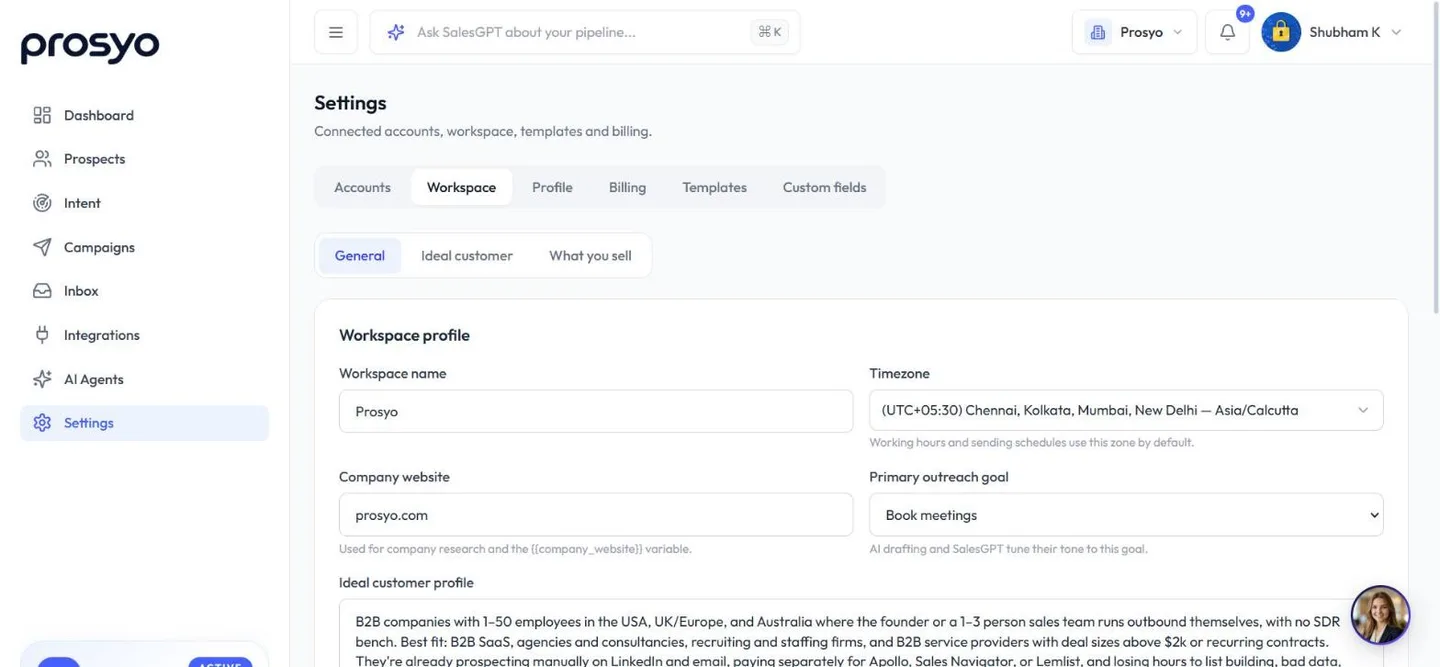
| Setting | Used for |
|---|---|
| Workspace name and Company website | The name in the workspace menu (and on invoices, unless you add a legal company name), and the website AI uses for company research |
| Timezone | Default for working hours and sending schedules |
| Primary outreach goal | The tone of AI drafting and SalesGPT |
| Ideal customer profile | A short description that personalizes AI messages and enrichment |
| Ideal customer tab | The detailed rules that score prospects by fit, for AI sequence writing, enrichment and Intent. See Define your ICP. |
| What you sell | The offers and buyer words Intent uses to find people asking for them. See Intent. |
| Outreach / AI instructions | Tone and rules for AI writing |
| Booking link | The {{calendar_link}} variable |
| Team members (Agency / Team) | Invite and remove teammates. See Team seats. |
Click Save changes after editing General.
Booking link#
Paste your Calendly, Cal.com, HubSpot Meetings, Google Calendar booking page or Microsoft Bookings link into Booking link. Then use {{calendar_link}} in messages:
Would a quick chat help? Grab any time here: {{calendar_link}}Outreach / AI instructions#
This is the most important setting for AI quality. Write it like a brief to a new SDR:
We sell: LinkedIn + email outreach software for B2B teams.
Our customers: founders and sales leaders at 10–200 person B2B companies.
Proof: customers book 10–30 meetings a month.
Tone: friendly, direct, peer-to-peer. Short sentences. No hype.
Never: use "I hope this finds you well", fake urgency, or emojis.
LinkedIn messages: under 60 words, end with a question.
Emails: under 120 words, plain text, one call to action.
These instructions guide personalized lines (Generate with AI in the prospect panel and Enrich with AI → Write personalized line on Prospects), Write with AI on campaign steps, campaigns written with AI, AI comments on posts, and Intent's research and first messages. More examples are in the AI prompt library.
Other settings pages#
| Page | What it's for |
|---|---|
| Settings → Accounts | LinkedIn and email accounts |
| Settings → Profile | Your own name, photo, mobile number and country, shown across your Prosyo workspaces |
| Settings → Clients | Client workspaces, in an agency workspace whose plan includes them |
| Settings → Templates | Message templates and one-click campaigns |
| Settings → Custom fields | Custom prospect fields |
| Settings → Billing | Plan, seats and add-ons, plus Credits, Invoices and Transactions |
| Settings → Billing → Credits | Credit balance and packs |












