


On this page
Upload a spreadsheet exported from Apollo, a CRM, an event list or anywhere else. Prosyo maps each column to a prospect field and adds the rows to a list.
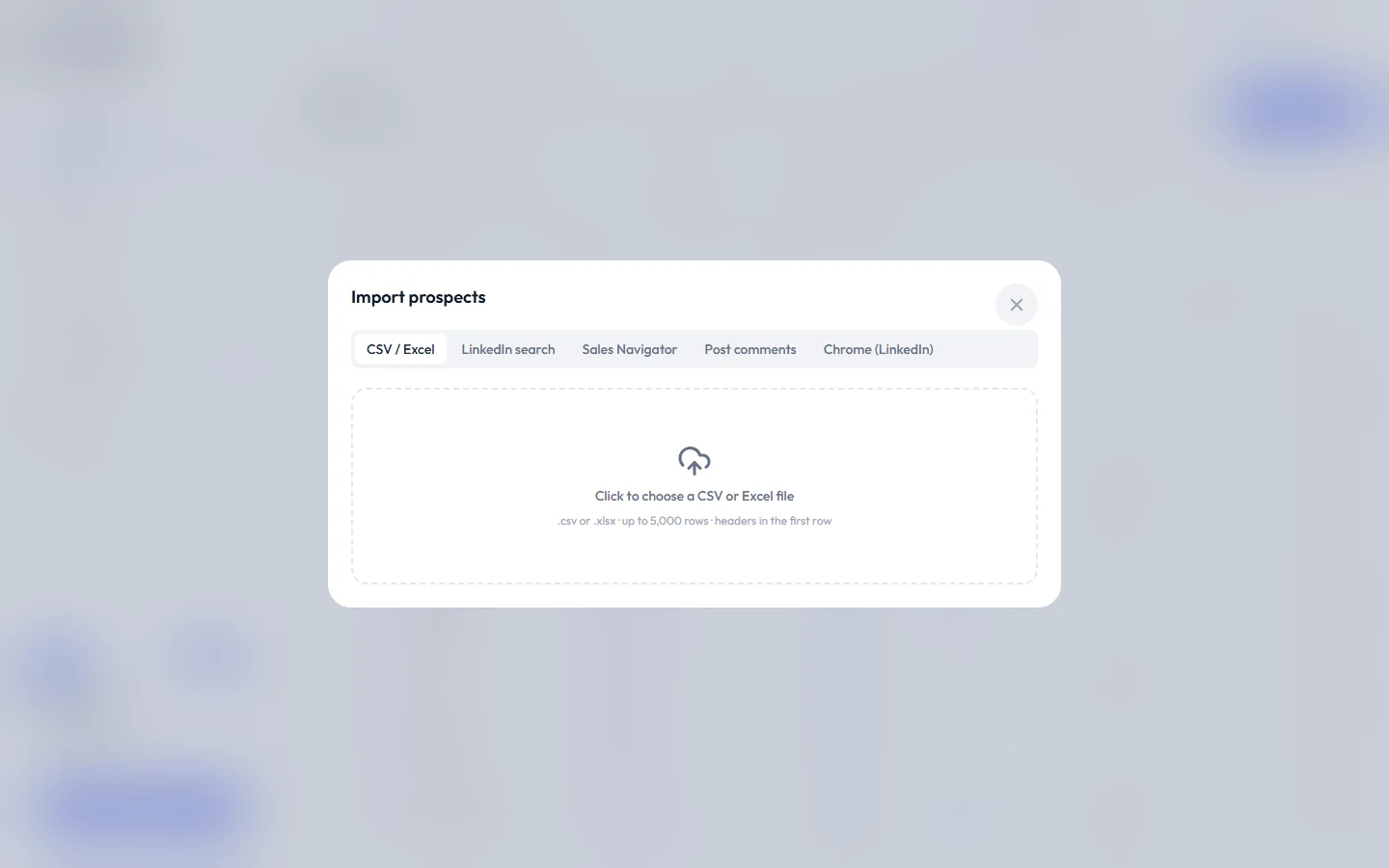
File requirements#
| Requirement | Details |
|---|---|
| File type | .csv or .xlsx. An older .xls file can't be read: save it as .xlsx or CSV first. |
| File size | Up to 5 MB |
| Header row | The first row must contain column names |
| Rows | Up to 5,000 rows per file. Rows after that are left out, so split bigger files. |
| Required column | At least one column mapped to Email or LinkedIn URL |
| Encoding | UTF-8 recommended for names with accents or non-Latin characters |
Include a LinkedIn URL column whenever you can. LinkedIn steps need it, and enrichment works much better with it.
Sample file#
First name,Last name,Title,Company,Website,LinkedIn URL,Email,Phone,Industry
Alex,Rivera,Head of Sales,Acme,acme.com,https://www.linkedin.com/in/alexrivera,[email protected],+1 555 0100,SaaS
Priya,Sharma,Founder,Brightlabs,brightlabs.io,https://www.linkedin.com/in/priyasharma,,,"Fintech"
Step by step#
- Go to Prospects and click Import. While the Dashboard's Launch your first campaign checklist is showing, you can also click Add or import prospects there.
- Stay on the CSV / Excel tab.
- Click the upload area and choose your file.
- If the Excel file has several sheets, pick the one to import under Sheet.
- Map your columns (see below).
- Choose a list. Under Add to list, pick Existing list or Create new (on your first import, just type a name for the new list). Name lists so you can recognize them later, for example "Webinar attendees – Sept 2026".
- Optional: type a tag in Tag everyone (optional) to label every person in the file.
- Under Duplicates, choose Skip existing or Update existing (see Duplicates).
- Click Import.
- Wait for Import complete. The summary shows how many people were added, updated, skipped and failed.
A large file can take a minute. Keep the window open until the summary appears.
Field mapping#
Prosyo guesses the mapping from your column names. Check every row before you import.
| Prosyo field | Auto-detected when the header contains | Used for |
|---|---|---|
| First name | first | {{first_name}} |
| Last name | last, surname | {{last_name}} |
| Full name | full name, or exactly name | Split into first and last when those are empty |
| Job title | title, position, role | {{title}} |
| Company | company, organization, organisation, account | {{company_name}} |
| Website | website, domain | Company website |
| LinkedIn URL | linkedin, profile url | LinkedIn steps and deduplication |
email, e-mail | Email steps and deduplication | |
| Phone | phone, mobile | Stored on the prospect |
| Custom · [field name] | Choose manually | {{custom.field_key}} |
| Skip column | Anything not recognized | Not imported |
Map to custom fields#
Any column that isn't a standard field can go into a custom field, such as Industry, Pain point, Event name or Personal first line.
- In the mapping dropdown, choose Custom · [field name].
- If the field doesn't exist yet, create it in Settings → Custom fields first, then come back to the import.
Once imported, you can use the value in any message as {{custom.your_field}}. See Lists, tags and custom fields.
Duplicates#
Prosyo won't create the same person twice in one workspace. A row is treated as a duplicate when its LinkedIn URL or email already exists.
- Skip existing (the default) leaves the person's name, title, company and contact details as they are.
- Update existing replaces those details with the values in your file. An empty cell never clears a value.
- Either way, the person is added to the list you chose (and gets the tag, if you typed one), so you can enroll them in a new campaign. Values in columns mapped to custom fields are saved too, and replace that field's earlier value even with Skip existing. Empty cells are ignored.
- If you're a member, a person who belongs to a teammate is skipped and left unchanged.
A row with no email, LinkedIn URL or name is skipped.
What Prosyo won't do#
Prosyo never invents data. If a row has no email, email steps skip that person. After the import, Prosyo looks for a verified work email for people without one, at no cost. See Enrichment. Enrichment fills a field only when a real source returns it.
Import limits#
Each plan includes a monthly allowance of new people. It resets at the start of each calendar month.
| Plan | New people per month |
|---|---|
| Starter (and the trial) | 1,000 |
| Multichannel | 5,000 |
| Agency / Team | 5,000 per seat |
| Enterprise | Unlimited |
| Penny SDR All-in | 20,000 |
| AppSumo lifetime deals | 1,000 per code, up to 5,000 (6 codes: 5,000 per seat) |
The Penny Agents add-on adds 2,000 a month and Penny SDR adds 5,000. An agency and its client workspaces share one allowance.
Only people who are new to your workspace count toward the limit. Updating or skipping someone who's already there doesn't. The whole file must still fit in what you have left this month, so a file with more rows than that is refused before anything is imported.
Hitting your import limit? Multichannel gives you 5x Starter's monthly imports, and Agency / Team scales with every seat. See plans.
Troubleshooting#
| Message | Fix |
|---|---|
| "The file needs a header row and at least one data row." | Add column names in row 1 and at least one row of data. |
| "Please upload a .csv or .xlsx file." | Save the file as CSV or Excel Workbook (.xlsx). |
| "File is too large (max 5 MB)." | Remove columns you don't need, or split the file. |
| "Could not read that spreadsheet. Export it as CSV or a standard .xlsx file." | Open it in Excel or Google Sheets and export as CSV or .xlsx again. |
| "Map at least one column to Email or LinkedIn URL." | Map a column to Email or LinkedIn URL. |
| "Choose an existing list or enter a name for a new one." | Pick a list under Add to list, or type a name for a new one. |
| "This import would exceed your plan's monthly import limit…" | The file has more rows than you have left this month. Split it, wait for next month, or upgrade. |
| Many rows skipped | They're already in your workspace (with Skip existing they're counted as skipped; choose Update existing to refresh them), they have no email, LinkedIn URL or name, or, if you're a member, they belong to a teammate. Search for one of them in Prospects. |
| Names look garbled | Export the CSV as UTF-8. |












