LinkedIn Outreach
September 29, 2026
17 min read




Last verified: September 2026. Limits change without announcement — treat every number below as a ceiling to stay under, not a target to hit.
LinkedIn does not publish a numeric automation limit. It publishes triggers. In practice, an established account can send roughly 20–25 connection requests a day and around 100 a week before throttling risk rises sharply, and accounts sitting below a 25% acceptance rate get squeezed first. The two settings that protect an account are not volume settings at all: randomised delays between actions, and stopping a sequence the moment someone replies. Everything else in this guide is detail on those two ideas.
Search for LinkedIn limits and you will find a hundred posts confidently stating that you may send exactly 100 invitations per week and 20 per day. Those numbers are useful. They are also not LinkedIn’s numbers.
LinkedIn’s published policy describes behaviour it restricts — sending invitations rapidly, sending to people who do not know you, accumulating ignored invitations, using unauthorised third-party software — without committing to a threshold. The only hard numbers LinkedIn documents publicly are structural rather than behavioural: a ceiling of 30,000 first-degree connections per account, and a three-week block on re-inviting someone after you withdraw a request to them.
Everything else circulating as “the limit” comes from vendors watching thousands of accounts and reporting where restrictions cluster. That is genuinely useful data. It is not a contract. Two accounts sending identical volume can get different outcomes, because LinkedIn is not counting actions — it is scoring an account.
This matters for how you set up outreach. If you plan against a fixed number, you will eventually walk into a restriction and be surprised. If you plan against the signals that produce restrictions, you build a system that survives the number changing.
Think of your account as carrying a trust score that nobody shows you. It rises with genuine activity and falls with activity that looks mechanical or unwanted. The inputs that appear to matter most:
The single most predictive number. If a large share of your invitations are ignored, you are telling LinkedIn that the people you contact do not want to hear from you. Vendors consistently report throttling appearing for accounts under roughly 20–25% acceptance. Above 40%, accounts tolerate much higher volume.
This is the reason targeting beats tooling. A tool cannot raise your acceptance rate. A tighter list can.
Unanswered invitations accumulate. Community estimates put the danger zone somewhere between 700 and 1,500 pending invites, though this is one of the softest numbers in the category. The mechanism is intuitive: a large backlog is the same signal as a low acceptance rate, expressed as a stock rather than a flow.
Withdrawing old invitations clears the backlog. Withdraw them after 14 days and you rarely lose anything — an invite that has sat unanswered for a fortnight is not about to convert — while keeping your pending count healthy. Note the three-week re-invite block applies afterwards, so withdraw deliberately, not in a panic.
Forty invitations sent in nine minutes and forty invitations spread across an eight-hour working day are the same volume and completely different signals. Humans pause. They get interrupted. They do not act at 11-second intervals for two hours.
This is where most self-built automation fails and where the difference between tools actually shows up. A scheduler that fires on a fixed interval produces a pattern. A scheduler that randomises the gap between actions, and only acts inside hours you would plausibly be at a desk, does not.
Recipients can mark an invitation as spam or say they do not know you. A handful is noise. A pattern is the fastest route to a restriction in the category, and it is almost always caused by a list that was never qualified in the first place.
An account that has logged in from Pune every day for three years and suddenly maintains a persistent session from a data centre in Virginia is an anomaly. Tools solve this differently, and the difference is the single biggest architectural decision in LinkedIn automation. We cover it in detail below.
Underrated. Accounts with a filled-out profile, a real photo, recent posts, and genuine engagement carry more slack than accounts that exist only to send invitations. If your account does nothing but outreach, it looks like an account that does nothing but outreach.
Here is the landscape as of September 2026, separated into what LinkedIn confirms and what the market observes. Treat the second column as planning guidance rather than policy.
| Limit | Figure | Status |
|---|---|---|
| First-degree connections ceiling | 30,000 | Officially documented by LinkedIn |
| Re-invite block after withdrawing | 3 weeks | Officially documented by LinkedIn |
| Weekly invitations — established account | ~100 | Community-observed |
| Weekly invitations — new or low-acceptance account | 20–30 | Community-observed |
| Weekly invitations — warmed, high-trust account | 150–200 | Community-observed, not advisable as a default |
| Daily invitations — safe working range | 20–25 | Community-observed |
| Pending invitation backlog before risk | 700–1,500 | Vendor estimate, weakly evidenced |
| Acceptance rate throttling threshold | Below 20–25% | Community-observed |
| Messages to 1st-degree connections per day | 50–100 depending on account age | Community-observed |
| Profile views via search — free accounts | Monthly cap, figure unpublished | LinkedIn’s commercial use limit |
One number deserves a note: the commercial use limit. Free LinkedIn accounts hit a monthly cap on how many profiles they can view via search. It resets on the first of the month and is not published as a figure. If your searches start returning a paywall mid-month, that is what happened — it is a monetisation mechanism rather than a safety restriction. Sales Navigator removes it.
In order of how often we see them cause trouble:
Every LinkedIn automation tool sits in one of three buckets, and the bucket determines your risk profile more than any setting you choose inside the product.
Runs in your Chrome session, on your machine, on your IP. Examples include Octopus CRM and Dux-Soup. Because the actions come from your real browser and real address, the session is as native as it gets.
The trade-off: your computer has to be on and the browser open. Sequences stop when you close the laptop, which makes consistent daily pacing hard — and consistent pacing is itself a safety feature.
Linked Helper is the best-known example. It runs a standalone app on your machine — more capable than an extension, still tied to your hardware being awake.
Runs on a server, so sequences continue whether or not you are online. This is where most serious outreach happens, including HeyReach, Expandi, Dripify, Waalaxy and Prosyo.
The trade-off: the session originates somewhere that is not your desk. Good cloud tools mitigate this with a dedicated IP in your country that stays stable. Bad ones rotate you through a shared pool. Ask any cloud vendor two questions before you buy: is my IP dedicated, and is it in my country? If either answer is vague, that is your answer.
There is no universally correct bucket — only a correct bucket for your situation. If you run outreach two hours a day from one machine and volume is modest, an extension is genuinely lower risk. If you need sequences to run consistently across a working day, or you are handling several accounts, cloud with a stable dedicated IP wins, precisely because consistency is what keeps the pattern human.
If your account is new, has been quiet for months, or has never been used for outreach, do not start at your target volume. This schedule costs you three weeks and prevents the majority of restrictions we see.
| Week | Invitations/day | Messages/day | Profile views/day | Also do this |
|---|---|---|---|---|
| Week 1 | 5–8 | 10 | 20 | Finish your profile. Post once. Comment on five posts. |
| Week 2 | 10–12 | 20 | 40 | Post once. Reply to every comment you get. |
| Week 3 | 15–18 | 30 | 60 | Review acceptance rate. If under 25%, tighten the list before increasing. |
| Week 4 | 20–25 | 40–50 | 80 | Hold here. This is a sustainable steady state, not a stepping stone. |
Two rules make the schedule work. First, the acceptance-rate gate: never increase volume in a week where acceptance sat below 25%. Volume amplifies whatever your targeting is doing, good or bad. Second, be a person on the platform. An account that posts and comments is an account LinkedIn reads differently from an account that only sends.
Most people tune the wrong dial. They obsess over the daily cap and ignore the five settings that actually determine whether activity reads as human.
Non-negotiable. A gap that varies between, say, three and eleven minutes produces a pattern LinkedIn cannot distinguish from a person working through a list. A fixed 60-second gap produces a signature. If a tool does not offer randomisation, that tells you how seriously it takes account safety.
Actions should land between roughly 09:00 and 18:00 in the account holder’s timezone, on weekdays. This is the most commonly skipped setting and one of the most diagnostic: an account whose owner lives in Berlin taking 40 actions at 03:00 CET is not a person.
Weekend sending is a smaller signal but a real one. Most B2B sellers do not work Sundays.
When someone replies, every remaining step for that person should cancel automatically. This protects the account and — more importantly — protects the conversation. Nothing kills a warm reply faster than a templated follow-up arriving two days after a real exchange started. In Prosyo this is on by default and documented under sending limits and safety. If a tool you are evaluating makes this optional or manual, that is a meaningful gap.
Set it to 14 days. It keeps the pending backlog low without you thinking about it. Remember the three-week re-invite block before you build a re-engagement play on top of it.
Do not run two automation tools on the same LinkedIn account. Do not run a scraper and a sequencer simultaneously. Concurrency is what produces the session anomalies that look worst.
A sequence is made of different action types and they are not equally expensive. Understanding the weighting lets you design sequences that feel warmer while spending less of your risk budget.
| Action | Relative risk | What it costs you | When it is worth it |
|---|---|---|---|
| Profile visit | Very low | Counts toward daily actions; nothing else | Almost always. It is visible to the prospect, costs nothing, and lifts acceptance when it precedes an invite. |
| Like a recent post | Very low | Counts toward daily actions | When the prospect actually posts. Skipped automatically when they do not. |
| Comment on a recent post | Low | Counts toward daily actions; reputational if the comment is generic | Sparingly, and only when the comment says something. A visibly automated comment is worse than no comment. |
| Connection request | High | Consumes weekly invite budget; drives acceptance rate; can trigger “I don’t know this person” | This is the scarce resource. Spend it on people most likely to accept. |
| LinkedIn message (1st degree) | Low–medium | Separate daily budget; spam reports possible | Freely, to people who accepted. This is where the conversation lives. |
| Voice note | Low | Counts as a message | Underused and high-return. Almost nobody else in their inbox is sending one. Keep it under 30 seconds. |
| InMail | Low | Consumes paid credits, not invite budget | High-value accounts only. It bypasses the invitation system entirely. |
| Email step | None on LinkedIn | Carries its own deliverability risk instead | Whenever you have a verified address. It moves load off LinkedIn. |
The practical conclusion: the connection request is the only genuinely scarce action. Everything else is cheap. A sequence that opens with a profile visit and a like, sends one carefully chosen invite, then does its real work in messages and email, is both safer and warmer than a sequence that leads with the invite and hopes.
Every safety guide, including the ones written by tool vendors, eventually says “improve your targeting” and moves on. It deserves more than a line, because it is the only lever that raises the ceiling rather than helping you live under it.
Consider two accounts. Account A sends 25 invitations a day to a broad list and converts at 18%. Account B sends 12 a day to a list of people who publicly described the problem it solves, and converts at 52%. Account B sends less than half the volume and produces more accepted connections — while sitting comfortably inside every safety threshold, with an acceptance rate that buys it slack rather than scrutiny.
Account B is not using a better tool. It is using a better list.
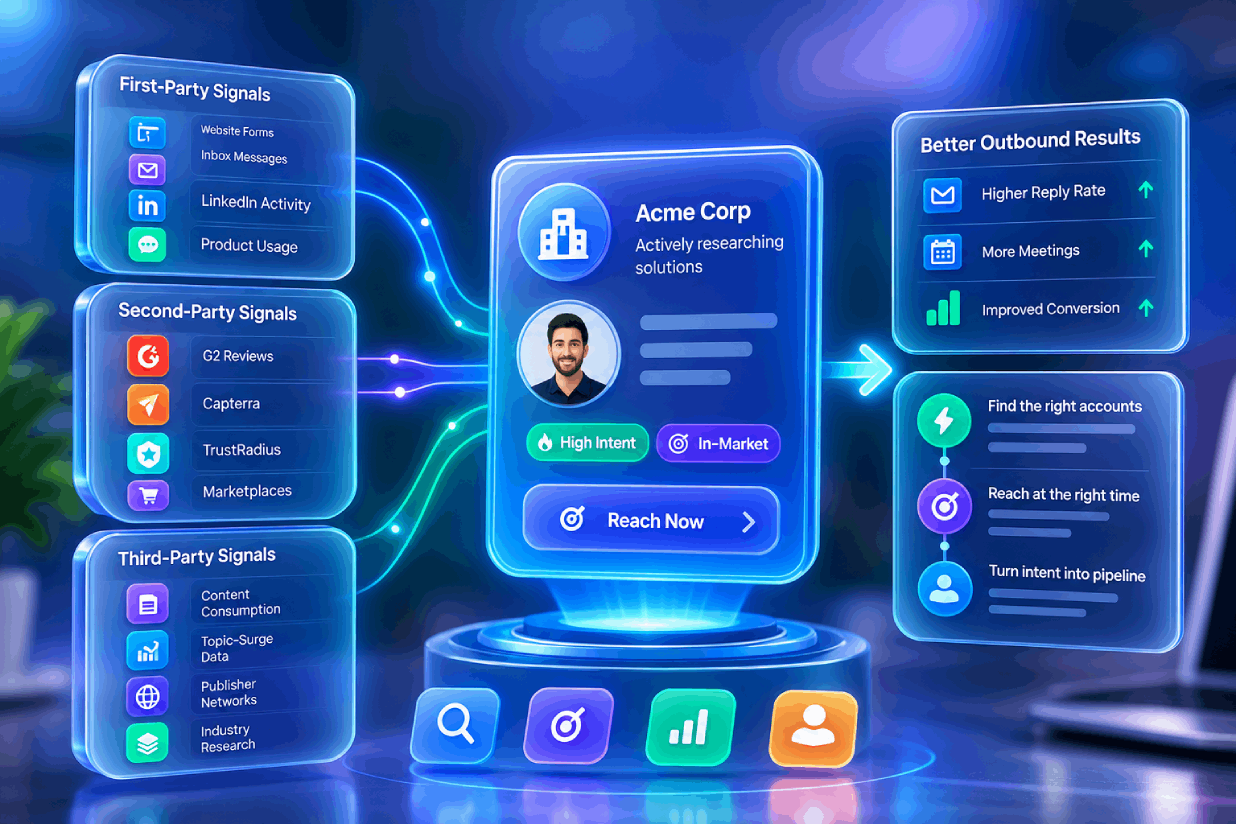
The highest-acceptance lists in B2B come from people who have already signalled a need: someone asking publicly for a recommendation, someone who reached out to you first, someone who just started a role where your problem lands on their desk, someone whose company just raised or just posted three roles for the work you do. These signals are visible on LinkedIn and on your own website. Most teams simply never collect them.
That is the entire premise behind intent-led outreach, covered properly in our guide to B2B buying intent signals. For the purposes of this article the point is narrower: targeting is a safety feature. It is the only one that makes you money at the same time.
Safety advice is easier to follow when you can see that it still hits the number. Here is the arithmetic, using conservative rates from our 2026 benchmarks.
Scenario A — the volume approach. Broad list, LinkedIn only.
To reach ten meetings this account needs roughly triple the volume — which is not available, because 100 a week is the ceiling. The only remaining lever is adding more LinkedIn accounts, which is why so many teams end up paying per sender.
Scenario B — the signal approach. Tight list built from people showing intent, LinkedIn plus email.
Scenario B books three times the meetings on half the LinkedIn volume, and sits so far inside every threshold that the account never comes under scrutiny. It also does not need a second seat.
The difference is not the pacing engine. Both scenarios could run in any platform in the comparison table below. The difference is entirely who is in the list.
Connection notes are capped at 300 characters. Within that budget, a few patterns reliably outperform:
Our library of LinkedIn outreach templates has copy for each pattern, and the free icebreaker generator will draft openers from a profile if you want a starting point.
Sales Navigator removes the commercial use limit and unlocks far better filtering — seniority, headcount growth, recent job changes, and saved lead lists that update themselves. Those filters are the fastest acceptance-rate improvement available to most teams.
What Sales Navigator does not do is raise your invitation limit. The weekly ceiling is an account-behaviour limit, not a subscription feature. Paying LinkedIn more does not buy you more invitations.
It does give you InMail credits, which sit outside the invitation system entirely. Used sparingly on genuinely high-value accounts, InMail is a legitimate second path that does not consume invitation budget. Used as a volume channel, it produces the same complaint pattern as anything else.
If you work from Sales Navigator, our walkthrough on turning a Sales Navigator search into a live campaign covers the filter set that actually correlates with acceptance, and the free Boolean search generator will build the query for you.
Be clear-eyed here, because vendors tend to be vague.
LinkedIn’s User Agreement prohibits using unauthorised third-party software to access the service, scraping, and creating automated accounts. Every LinkedIn automation tool on the market — including Prosyo — operates in tension with that language. No vendor can honestly promise you are “compliant”, and you should treat any vendor that does as unreliable on everything else.
What you can reasonably assess is risk, and risk is a function of behaviour. Enforcement in practice tracks the signals described in this article: volume, acceptance, complaints, session anomalies. Tools that let you run modest, well-targeted, well-paced outreach from a stable session produce far fewer restrictions than tools built to maximise throughput.
Two practical consequences. First, never automate an account you cannot afford to lose — if your personal network is a career asset, think hard before pointing a sequencer at it. Second, keep your data portable. If your prospects, conversation history and campaign performance live only inside a tool, a restriction becomes an outage. Prosyo exports every field on a prospect to CSV, including research and reply dates, precisely so that no account event ever costs you your pipeline.
LinkedIn restrictions come in escalating flavours. The response differs by type.
The mildest and most common. Usually lifts in a few days.
LinkedIn asks for a phone code, a document, or a security check. Complete it honestly and promptly. This is usually a session-anomaly response rather than a punishment, and a genuine verification often improves your account’s standing afterwards. If you are on a cloud tool, this is also the moment to confirm your IP is dedicated and in your country.
The serious one. Appeal through LinkedIn’s official process, in your own words, without mentioning automation tooling. Meanwhile, keep your business running: your existing conversations should already be mirrored in your outreach platform’s inbox and your prospect records should already be exported. If they are not, that is the lesson.
The most reliable way to reduce LinkedIn risk is to stop asking LinkedIn to carry the entire pipeline.
A LinkedIn-only motion forces volume up, because LinkedIn is the only channel available. Add email and the maths changes: 12 well-targeted invitations plus an email step to the same people produces more conversations than 25 invitations alone, at roughly half the LinkedIn exposure.
It also fixes the structural weakness of LinkedIn-only outreach — that a person who never accepts your invitation is simply lost. With a multichannel sequence, an unaccepted invite becomes a branch rather than a dead end:
1. Visit profile
2. Connection request (with or without note)
3. If / else: wait up to 168 hours for acceptance → if not met, continue
4. If / else: prospect has an email → if not met, end
5. Email: “Tried to connect on LinkedIn…”
That is a real Prosyo sequence, documented under sequence steps. The same person is reached twice, on two channels, without either channel taking unusual load.
The catch is that email has its own rulebook, and since Google, Yahoo and Microsoft tightened bulk sender requirements it is stricter than LinkedIn’s. Read our 2026 cold email deliverability guide before you add a single email step — SPF, DKIM and DMARC are now table stakes, and a spam complaint rate above 0.3% will do more damage to your business than any LinkedIn restriction.
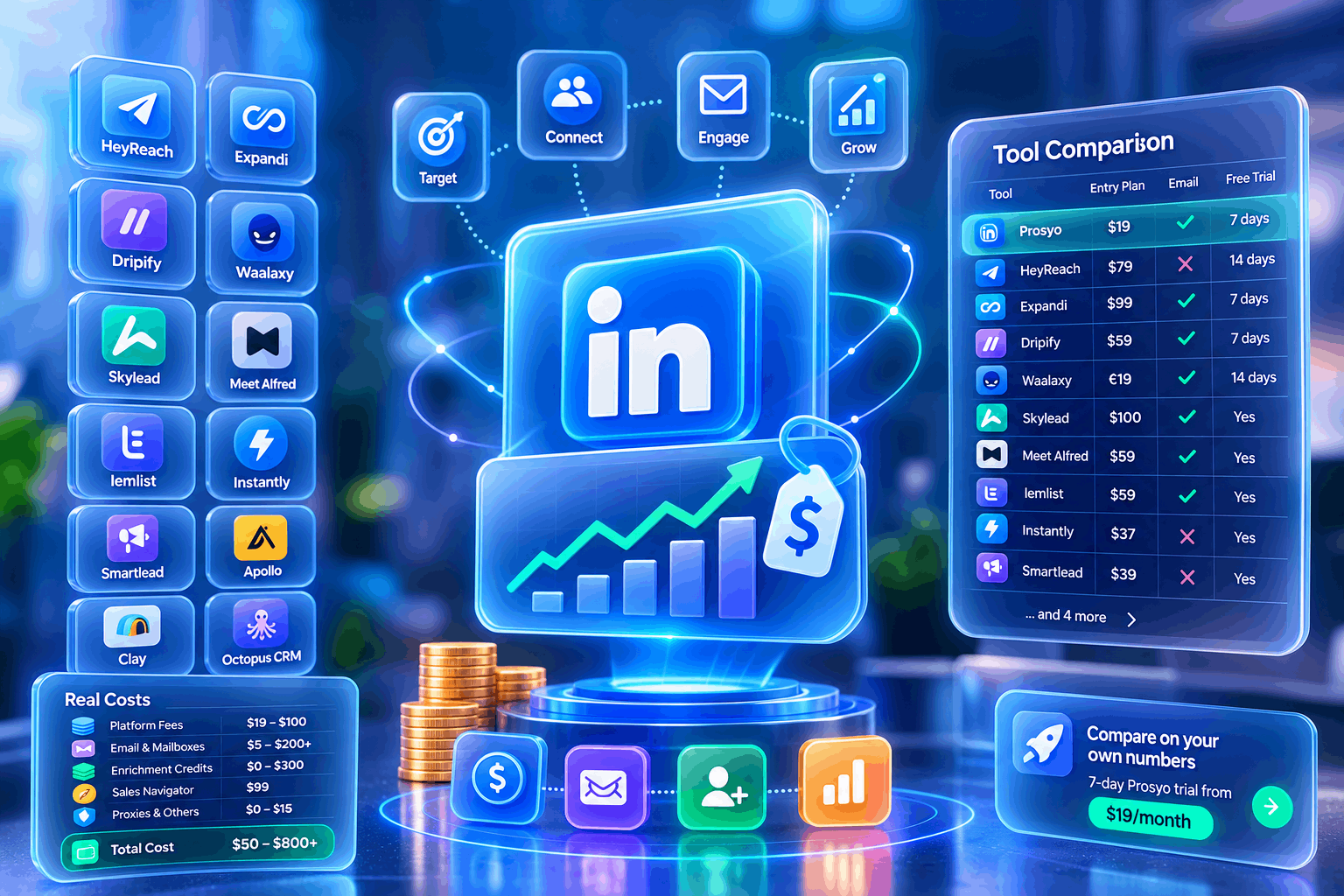
Safety features are the least-marketed and most important part of a LinkedIn tool. Here is where the main platforms sit. Verified September 2026 — check current pricing before quoting these figures.
| Tool | Architecture | Randomised delays | Working hours | Stop on reply | Auto-withdraw invites | Entry price |
|---|---|---|---|---|---|---|
| Prosyo | Cloud | Yes | Yes, with timezone | Yes, on by default | Yes, configurable | $19/mo |
| HeyReach | Cloud | Yes | Yes | Yes | Yes | $79/sender/mo |
| Expandi | Cloud, dedicated IP | Yes | Yes | Yes | Yes | $99/seat/mo |
| Dripify | Cloud | Yes | Yes | Yes | Yes | $59/mo billed monthly |
| Waalaxy | Extension + cloud | Yes | Limited | Yes | Yes | €19/mo |
| Meet Alfred | Cloud | Yes | Yes | Yes | Yes | $59/mo |
| Skylead | Cloud | Yes | Yes | Yes | Yes | $100/seat/mo |
| Octopus CRM | Browser extension | Basic | No | Limited | Manual | Low-cost entry tier |
| Dux-Soup | Browser extension | Yes | Limited | Yes | Yes | Low-cost entry tier |
| Linked Helper | Desktop app | Yes | Yes | Yes | Yes | Low-cost entry tier |
Read that table carefully and you will notice something: at the serious end, the safety feature set is close to identical. Randomised delays, working hours, stop-on-reply and auto-withdraw are solved problems. What separates these tools in 2026 is not whether they can pace a sequence — it is who they put in the sequence, and what the whole system costs once you add email and a second seat. We break the cost side down in what LinkedIn outreach actually costs in 2026, and the feature side in our best LinkedIn outreach tools roundup.
Everything above applies per account. What changes when you run ten senders for five clients is that mistakes multiply and blast radius grows.
We cover the operational side of this — seats, per-client mailboxes, reporting and alerts — in the guide to running LinkedIn outreach for multiple clients.
A proxy changes where the session appears to originate. It does nothing about velocity, acceptance rate, or spam reports — which is what actually gets accounts restricted. A dedicated in-country IP removes one risk signal. It does not remove the others, and a cheap shared proxy adds a new one.
Detection is not a binary. LinkedIn does not need to identify your vendor to notice that an account acts at inhuman regularity, or that a session has appeared from a data centre. The realistic goal is not being undetectable. It is being unremarkable.
There is no evidence that paying LinkedIn raises your invitation ceiling. Sales Navigator improves your targeting, which raises acceptance, which does earn you slack — but the mechanism is your behaviour, not your subscription.
They rarely are. In almost every case, a restriction is preceded by some combination of low acceptance, a large pending backlog, a volume jump, or a session change. The signal was usually visible for a fortnight before the banner appeared. This is why the weekly rhythm below matters more than any single setting.
Merge fields do not affect account safety at all. They affect reply rates, and only when they reference something real. {{first_name}} and {{company_name}} are table stakes, not personalisation — every templated message in your prospect’s inbox already has them. What changes acceptance is a first line that could only have been written to that one person. Our take is in why cold email personalisation is broken.
Safety is a habit, not a setting. This is the cadence we recommend for a warmed account.
| When | What you do | Why |
|---|---|---|
| Every morning, 10 minutes | Answer replies first. Move real opportunities to Interested or Meeting. | Reply speed is the highest-leverage habit in outbound. An answer within the hour converts far better than one the next day. |
| Every morning, 5 minutes | Review new high-intent people and send the two or three worth sending. | Keeps volume low and acceptance high. |
| Weekly | Check acceptance rate and pending invite count. | Your early warning lights. Acceptance below 25% means stop and fix the list. |
| Weekly | Check account health status. | Catches a reconnect before it silently stalls a campaign for days. |
| Monthly | Withdraw everything older than 14 days. Review which segments accepted best and cut the worst. | Compounding: each month the list gets tighter and the ceiling gets higher. |
Prosyo’s position is that the safest outreach system is the one that needs the least volume, so the controls and the targeting are built as one thing rather than two.
You can see the full control set in the sending limits and safety documentation, or read how the whole loop fits together in what is Prosyo.
| Term | What it means |
|---|---|
| Acceptance rate | Accepted invitations ÷ invitations sent. The most predictive safety metric you can see. |
| Pending backlog | Invitations sent that have neither been accepted nor declined. Clear it by withdrawing. |
| Commercial use limit | LinkedIn’s monthly cap on profile views via search for free accounts. Resets on the 1st. Removed by Sales Navigator. |
| Warm-up | Gradually increasing activity on a new or dormant account so volume growth looks organic. |
| Stop on reply | Cancelling a prospect’s remaining sequence steps the moment they answer on any channel. |
| Dedicated IP | An address assigned only to your account, ideally in your own country, so the session location stays stable. |
| Account health | The connection state of a sending account — healthy, needs reconnect, paused or error. |
For an established account with a healthy acceptance rate, 20–25 per day is the widely observed safe working range, which lands near 100 per week. New or low-acceptance accounts should stay at 5–10 per day and build up over four weeks. LinkedIn does not publish an official daily figure, so treat these as ceilings rather than targets.
LinkedIn’s User Agreement prohibits unauthorised third-party software, so there is always risk. In practice, enforcement responds to behavioural signals — sending velocity, low acceptance rates, spam reports and session anomalies — rather than tool detection alone. Modest, well-targeted, well-paced outreach from a stable session carries materially lower risk than high-volume sending to a broad list.
No. The weekly invitation ceiling is tied to account behaviour, not to your LinkedIn subscription. Sales Navigator removes the commercial use limit on searching, improves filtering, and provides InMail credits that sit outside the invitation system, but it does not raise the invitation cap itself.
Neither is universally safer. Extensions use your real browser and IP, which is maximally native but requires your machine to stay on — making consistent daily pacing difficult. Cloud tools run continuously, which produces a steadier, more human rhythm, but introduce a session that does not originate from your usual location. A cloud tool with a dedicated IP in your own country generally offers the best balance for teams running outreach every day.
Under 20% needs work, 25–40% is healthy, and above 40% is strong. Acceptance rate is the most predictive safety metric available to you: accounts below roughly 25% tend to get throttled first, while high-acceptance accounts tolerate significantly more volume.
Yes. Withdrawing invitations older than about 14 days keeps your pending backlog low, which removes one of the signals associated with restriction. Bear in mind that LinkedIn blocks you from re-inviting the same person for three weeks after a withdrawal, so withdraw deliberately rather than in bulk panic.
Pause every campaign immediately, withdraw pending invitations older than 14 days, and leave the account free of automated activity for seven days while using LinkedIn normally. Restart at warm-up volume rather than your previous level, and fix the targeting problem that caused the low acceptance rate before scaling again.
No. Two tools acting on one account create overlapping sessions and duplicated actions, which is one of the strongest anomaly signals available to LinkedIn. Choose one tool per account.