AI Sales
October 24, 2026
20 min read



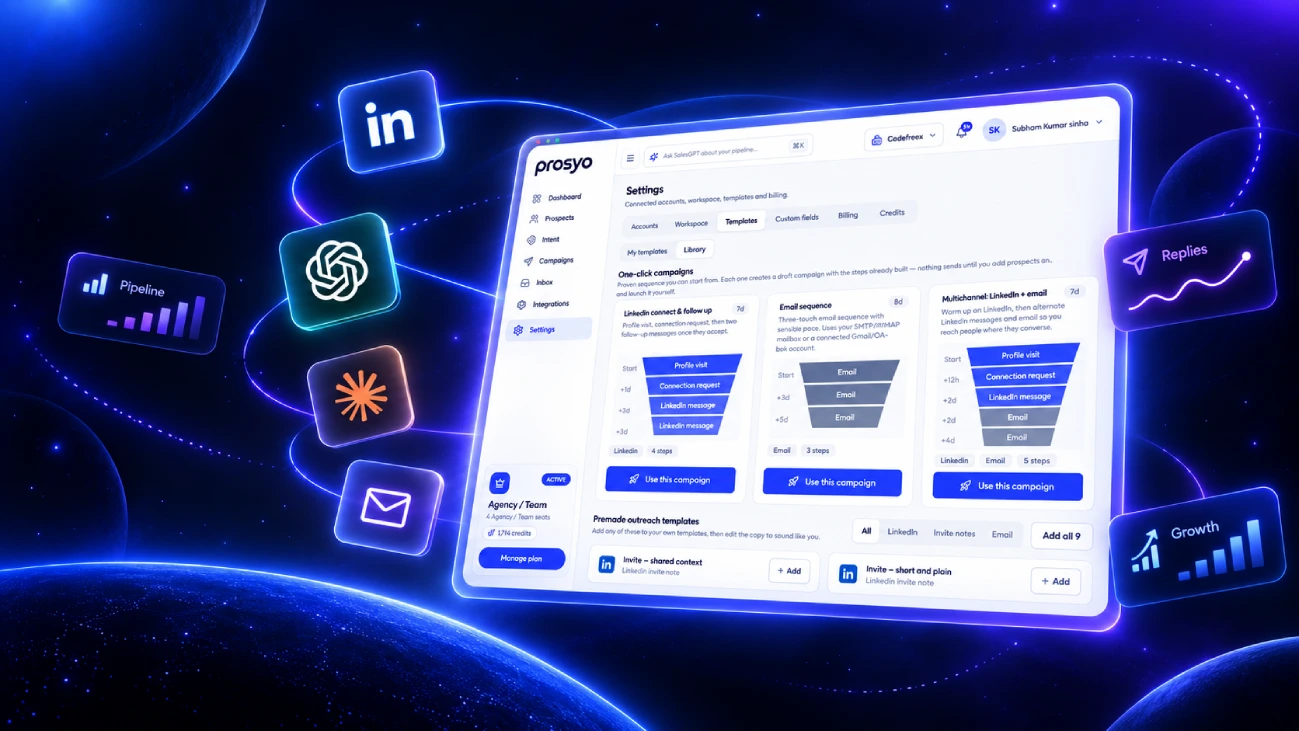
Quick answer: LinkedIn outreach software helps you find the right prospects on LinkedIn, send personalized connection requests and messages, follow up on a schedule, and manage replies without living inside LinkedIn all day. The best LinkedIn outreach software in 2026 goes further than automation. It keeps prospect research, AI personalization, LinkedIn and email steps, replies, and pipeline in one place so every message has a reason behind it.
If you’ve ever blocked off two hours to “do LinkedIn outreach” and ended up with 14 half-written DMs, three open Sales Navigator tabs, and zero follow-ups, you already know the problem this category is trying to solve.
LinkedIn is still the best place to reach B2B buyers by name. Your prospects are there. Their job titles are accurate (mostly). Their companies, posts, and career moves are public. But doing outreach well on LinkedIn is slow, and doing it fast usually means doing it badly. That tension is exactly why so many teams go shopping for LinkedIn outreach software.
The catch? The market is noisy. There are Chrome extensions, cloud automation tools, cold email platforms that bolted on LinkedIn, agency tools built for 50 sender accounts, and newer AI outbound platforms that promise to run the whole thing for you. They all say “personalized” and “safe.” They’re not all the same.
This guide is the one we wish existed when we started. You’ll learn what LinkedIn outreach software actually does, the features that matter (and the ones that just look good in a demo), how to stay on the right side of LinkedIn’s limits, what it should cost, how to roll it out in 30 days, and message templates you can adapt today. We’ll also show where Prosyo fits, and be upfront about when it isn’t the right pick.
What’s in this guide
LinkedIn outreach software is a tool that helps sales teams, founders, agencies, and recruiters run structured prospecting campaigns on LinkedIn. At the most basic level, it handles repetitive actions like visiting profiles, sending connection requests, and sending follow-up messages based on a sequence you set up.
That’s the old definition, though. It describes a LinkedIn automation tool. Modern LinkedIn outreach software covers the whole path from “who should we talk to?” to “we booked a call.” In practice, that means:
Think of it this way. A LinkedIn automation tool clicks buttons for you. Good LinkedIn outreach software helps you decide which buttons are worth clicking, for whom, and what to say when someone replies.
These three terms get mixed up constantly, so here’s a simple breakdown.
| Tool | What it does | What it doesn’t do |
|---|---|---|
| LinkedIn Sales Navigator | LinkedIn’s own paid product for advanced search, lead lists, account alerts, and InMail credits. | Doesn’t run multi-step sequences, write personalized messages at scale, or combine LinkedIn with email. |
| LinkedIn automation tool | Automates actions like connection requests, profile visits, and follow-up messages. | Usually light on research, enrichment, AI context, reply triage, and pipeline tracking. |
| LinkedIn outreach software | Connects prospecting, enrichment, personalization, LinkedIn and email sequences, replies, and reporting. | Doesn’t replace good targeting or a real offer. No software does. |
Most teams end up using Sales Navigator for search and a separate outreach platform for everything after the list is built. That’s a perfectly normal stack.
Manual outreach works. We’d argue it’s the best way to start. When you send your first 50 messages by hand, you learn what people respond to, which titles actually care about your problem, and which of your assumptions were wrong.
The trouble starts around the point where outreach becomes a real channel instead of an experiment. Here’s what usually breaks.
A lot of LinkedIn replies come after the second or third touch, not the first. When you’re doing it by hand, you remember to follow up with the people you liked talking to and forget everyone else. A spreadsheet helps for about a week.
Good personalization needs context. You open the profile, scan the About section, check recent activity, look at the company page, maybe peek at their website. That’s easily three to five minutes per prospect. Multiply by 40 prospects a day and there’s no time left to actually talk to anyone.
If you run outreach from more than one account, or run LinkedIn and email together, replies land in different places. The prospect who said “sure, send me more info” on Tuesday is buried under 30 notifications by Thursday. That’s a lost deal that looks like a bad campaign.
Without structured campaigns, you can’t compare one message angle to another, or one audience to another. You end up guessing, and the guesses are usually biased toward whatever you tried most recently.
This is the part people skip. Plenty of teams “fix” the scaling problem with a basic automation tool, blast the same template to 1,000 people, and watch acceptance rates fall off a cliff. Buyers can smell a mail merge from the preview line. Speed without relevance just gets you ignored faster.
The goal of LinkedIn outreach software isn’t to send more messages. It’s to keep the quality of your best manual outreach while removing the admin work around it. If you want the deeper version of that philosophy, our guide to LinkedIn outreach automation that keeps your messages human goes step by step.
Before you compare features, figure out which category you’re actually shopping in. Comparing a Chrome extension to a multichannel outbound platform is like comparing a bike to a delivery van. Both move things. They’re built for different jobs.
These run inside your Chrome browser while you’re logged into LinkedIn. They’re usually the cheapest option and quick to set up. The trade-off is that your computer and browser need to stay on for campaigns to run, and activity comes from your own machine in patterns that can be less natural. They’re fine for light, solo use and testing.
These run campaigns from the cloud, so your laptop can be closed. Tools like Dripify and Expandi sit in this group. They typically offer sequence builders with conditions (for example, “if connected, send message; if not, visit profile again”), plus basic inboxes and analytics. This is the most common category for individual sellers.
Built for agencies and lead gen teams running outreach across many LinkedIn accounts at once. HeyReach is a well-known example. The headline features are sender rotation, multiple client workspaces, and a unified inbox across all connected accounts. If you manage 10+ LinkedIn profiles, this category is worth a look.
Cold email tools like lemlist added LinkedIn actions to their sequences. They’re strong on email deliverability features and creative personalization, but LinkedIn tends to be a supporting step rather than the core of the product. Great if email is your main channel and LinkedIn is a warm-up touch.
This is the newest category and where Prosyo sits. Instead of starting with automation, these platforms start with context: who fits your ICP, what signals suggest they might care now, and what a relevant message would say. LinkedIn and email run inside the same campaign, replies land in one inbox, and outcomes flow into a pipeline view. AI does the research-heavy work, and humans stay in control of what goes out.
| Type | Best for | Main trade-off |
|---|---|---|
| Browser extension | Solo testing on a tight budget | Needs your browser open; limited features |
| Cloud automation tool | Individual sellers running LinkedIn sequences | Research and personalization often live elsewhere |
| Agency multi-sender platform | Agencies with many LinkedIn accounts | Can encourage volume over relevance |
| Email-first with LinkedIn steps | Email-led teams | LinkedIn is secondary |
| Connected outbound workspace | Founders, agencies, and sales teams who want LinkedIn, email, AI context, and pipeline together | More to set up than a single-purpose tool |
Want a tool-by-tool breakdown instead? We compared ten platforms side by side in Best LinkedIn Outreach Tools in 2026.
Every vendor has a feature grid. Most of those grids are padded. These are the capabilities that tend to make a real difference once a campaign is live, in rough order of impact.
Your reply rate is decided before you write a single word. If the list is wrong, the best message in the world won’t save it. Look for software that lets you build lists from LinkedIn search or Sales Navigator, filter by title, seniority, industry, company size, and location, and import CSVs cleanly without duplicates. Prosyo’s prospecting workflow starts here on purpose.
A name and title aren’t enough to write something relevant. Enrichment adds company details, role context, and often a verified email so you can follow up on a second channel. Without it, “personalization” usually means inserting a first name. See how lead enrichment feeds better messaging.
Two people with the same title at similar companies aren’t equally likely to reply. One just started a new role, the other’s company just raised money, a third visited your pricing page. Signals like these help you decide who to contact first and what angle to take. Prosyo uses intent signals to support that prioritization.
This is where 2026 tools really separate. Weak AI personalization reads like this: “I saw you’re the Head of Marketing at Acme. Impressive!” Nobody replies to that. Strong AI personalization connects something specific about the prospect to a reason for reaching out. Look for tools that pull from the profile, company, and campaign goal together, and that let you review and edit before anything sends. More on that in AI personalization.
A short, specific opening line does a lot of heavy lifting in a LinkedIn message, because the preview is all most people see. Tools that generate concise first lines from real context save hours. Prosyo’s AI Icebreakers are built for exactly this.
A sequence is your campaign’s backbone: connection request, wait, message, wait, follow-up, maybe an email if they haven’t connected. Conditions matter. You don’t want to send “thanks for connecting” to someone who never accepted. A good sequence builder branches based on what the prospect actually did.
Not everyone checks LinkedIn daily. Some of your best prospects barely log in. Adding email as a coordinated channel reaches them where they are. The keyword is “coordinated.” Your email shouldn’t act like the LinkedIn message never happened. Read our guide to multichannel outreach without sounding automated, or see Prosyo’s email outreach features.
Replies are the whole point, yet this is the feature buyers check last. A unified inbox pulls LinkedIn and email conversations into one view, tied to the campaign and prospect context, so you can respond fast and pick up where things left off. Speed to reply matters a lot here. A unified inbox is non-negotiable once you run more than one campaign.
Campaigns should keep running when your laptop is closed. Cloud execution also tends to produce steadier, more human-like activity patterns than a browser extension firing off actions whenever you happen to open Chrome.
You want daily caps, working-hours scheduling, randomized delays, and the ability to slow down a sender that’s showing warning signs. If a vendor brags about “unlimited” LinkedIn actions, treat that as a red flag, not a feature.
Connection requests sent is not a success metric. You need acceptance rate, reply rate, positive reply rate, and meetings booked, broken down by campaign and message variant. Prosyo’s analytics are built around conversations and outcomes, not raw volume.
Once someone says yes, where do they go? If the answer is “a sticky note,” you’ll lose deals between first reply and first meeting. Built-in pipeline tracking or a clean CRM sync keeps the handoff tight.
Let’s be direct about something most vendors tiptoe around.
LinkedIn’s User Agreement restricts the use of third-party software and bots to automate activity on the platform. Any tool that sends actions on your behalf carries some level of risk. No software can honestly promise your account will never be restricted, and you should be skeptical of any vendor that does. We say the same thing on our own FAQ page.
That doesn’t mean LinkedIn outreach software is reckless. It means you should use it like a professional, not like a spammer. The accounts that get into trouble almost always share the same habits: huge daily volumes, low acceptance rates, copy-paste messages, brand-new or thin profiles, and sudden spikes in activity.
Here’s the part that surprises people: the safest outreach strategy and the highest-converting outreach strategy are basically the same one. Relevant targeting, fewer but better messages, and fast human replies. That’s the approach Prosyo is built around.
Here’s a practical way to evaluate tools without getting lost in feature pages. Answer these questions honestly before you start a trial.
A solo founder doing LinkedIn-only outreach doesn’t need agency sender rotation. An agency with 20 clients will outgrow a single-seat tool in a month. A SaaS sales team probably needs LinkedIn, email, and pipeline together. Choosing the right category eliminates most of the market in five minutes.
Use a simple scorecard during trials. Rate each tool from 1 to 5.
| Criteria | What to test |
|---|---|
| List building | Can you build and import a clean, deduplicated list in under 20 minutes? |
| Personalization quality | Generate messages for 10 real prospects. Would you actually send them without rewriting? |
| Sequence logic | Can you branch on “connected / not connected” and “replied / didn’t reply”? |
| Multichannel | Can LinkedIn and email steps live in one campaign with shared context? |
| Safety controls | Are there daily caps, working hours, delays, and pacing settings? |
| Inbox | Do replies from every channel show up in one place with prospect context? |
| Reporting | Can you see reply rate and meetings by campaign, not just actions sent? |
| Pricing clarity | Do you understand exactly what you’ll pay at your expected volume and seat count? |
| Support | Did you get a useful answer within a business day during the trial? |
Clicking through a demo tells you almost nothing. Instead, take 100 real prospects from your ICP, build one campaign in each tool you’re considering, and run it for two weeks. Compare acceptance rate, reply rate, positive replies, and how much time you spent managing it. The winner is usually obvious by day ten.
The sticker price is rarely the full price. Watch for extra charges per LinkedIn seat, per email inbox, for enrichment credits, for AI credits, for additional campaigns, or for integrations. Add them up at the volume you’ll actually run in month three, not month one.
Pricing varies a lot by category, and vendors change plans often, so always check current pricing pages. As a general guide, here’s how the market tends to break down:
The smart way to think about cost isn’t “what’s cheapest?” It’s “what does one booked meeting cost me?” If a $19 tool produces two meetings a month and a $49 platform with better targeting and multichannel follow-up produces eight, the cheaper tool is actually the expensive one.
For reference, here’s how Prosyo pricing is structured at the time of writing:
| Plan | Price | Built for | Highlights |
|---|---|---|---|
| Starter | $19/month | Founders and solo operators starting LinkedIn outbound | 1 LinkedIn seat, 1 active campaign, 1,000 imports/month, 100 AI credits/month |
| Multichannel | $49/month | Teams running LinkedIn and email together | LinkedIn seat plus email accounts, 3 active campaigns, 5,000 imports/month, 250 AI credits/month, unified inbox and pipeline |
| Agency / Team | $49/seat/month (min. 2 seats) | Agencies and sales teams with multiple senders | Multiple LinkedIn and email accounts, client workspaces, roles and permissions, higher limits, priority support |
Yearly billing saves 24%. You can start free and change plans as your outreach grows.
Buying the software is the easy part. Here’s a realistic plan for getting from sign-up to a campaign that produces meetings.
If you’d rather have experienced people set this up with you, Prosyo also offers managed outbound services covering ICP definition, campaign strategy, and reporting.
Templates are a starting point, not a script. The bracketed parts are where real personalization goes, and they’re the parts that actually earn replies. Keep LinkedIn messages short. If it needs scrolling, it’s too long.
Hi [First name], saw your post on [specific topic]. The point about [specific detail] matched what we keep hearing from other [role] teams. Would be good to connect.
Why it works: it proves you actually looked, it’s about them, and there’s no pitch. Many people also get solid acceptance with no note at all when their profile and targeting are strong. Test both.
Thanks for connecting, [First name]. Quick question since you’re running [function] at [Company]: is [specific problem] something you’re dealing with right now, or is it handled? Asking because we just helped [similar company type] [specific outcome].
Why it works: it asks a question they can answer in five words, and the proof point is relevant to their world.
[First name], put together a short breakdown of how [similar companies] are approaching [problem]. Happy to send it over if it’s useful. No call needed.
Why it works: it gives before it asks, and it lowers the commitment.
Congrats on the new role at [Company], [First name]. The first 90 days usually mean a lot of [relevant priority]. If [problem you solve] ends up on that list, I’ve got a few notes from teams who went through the same thing. Want them?
Subject: [Company] + [specific topic]
Hi [First name],
Tried to connect on LinkedIn but figured email might be easier. [One sentence of relevant context about their company.]
We help [role] at [company type] [specific outcome] without [common pain]. Worth a quick look, or not a priority right now?
[Your name]
Hey [First name], I’ll stop messaging about this. If [problem] becomes a priority later, feel free to reach out. Good luck with [something specific they’re working on].
A note on AI-written messages: AI is great at pulling context and drafting first lines. It’s bad at knowing when a draft sounds weird. Always review a sample before a campaign goes live. Cut words like “impressive,” “noticed,” and “reaching out” when they pile up. Read it out loud. If it sounds like something you’d never say across a table, rewrite it. Our guide to AI cold email personalization covers the same principles for email.
Benchmarks vary widely by industry, offer, audience seniority, and how warm your brand is, so treat any number you see online as a rough reference. Your first two weeks of data become your real baseline. What matters is tracking the right metrics in the right order.
These show activity, not progress. A campaign that sends 200 messages and books four meetings beats one that sends 2,000 and books two, every single time.
“Hi, I help companies like yours grow revenue by 300%, want to hop on a call?” in a connection note is the fastest way to get ignored. Connect first. Earn the right to pitch.
“Marketing managers in the US” isn’t an ICP. It’s a census category. Narrow down by industry, company size, and a problem you know they have.
“I see you work at {Company}” isn’t personalization. Neither is “Loved your profile.” Either reference something real, or don’t pretend.
LinkedIn is a messaging app. Treat it like one. Two to four short sentences is plenty for a first message.
When someone takes the time to respond, a human should respond back. Auto-replies to real replies are how good leads go cold.
Plenty of decision-makers rarely check LinkedIn. If your campaign stops when someone doesn’t accept, you’re leaving a big chunk of your list untouched.
New list, new message, new offer, new CTA, all in the same week. Now you have no idea what worked. Change one thing, measure, then change the next.
Founders usually need a focused LinkedIn-first motion that doesn’t eat the week. Start with one tight ICP, one offer, and a simple sequence. Use AI to handle research and first-draft personalization, but keep your voice in the final message. Buyers love hearing from founders directly. See Prosyo for founders.
Agencies need multiple senders, separate client workspaces, clean reporting, and a single inbox so account managers aren’t logging in and out of 15 LinkedIn profiles. Guard sender health carefully. One burned client account is a bad week. See Prosyo for agencies.
Sales teams need LinkedIn and email working together, shared campaign context, rep-level reporting, and a clear path from reply to pipeline. Consistency across reps matters as much as individual message quality. See Prosyo for sales teams.
SaaS teams benefit most from intent and account signals, because timing matters so much. A company that just hired for a role your product supports is a very different prospect than one that didn’t. See Prosyo for SaaS.
Consultants win on expertise and trust, so outreach should feel like a helpful peer, not a vendor. Low-friction offers like a short audit work especially well. Our guide on how to get freelance clients on LinkedIn goes deeper, and you can see Prosyo for consultants.
Local business owners are busy and skeptical. Short, concrete messages tied to something visible about their business (their website, reviews, or local presence) outperform broad pitches. See Prosyo for local businesses.
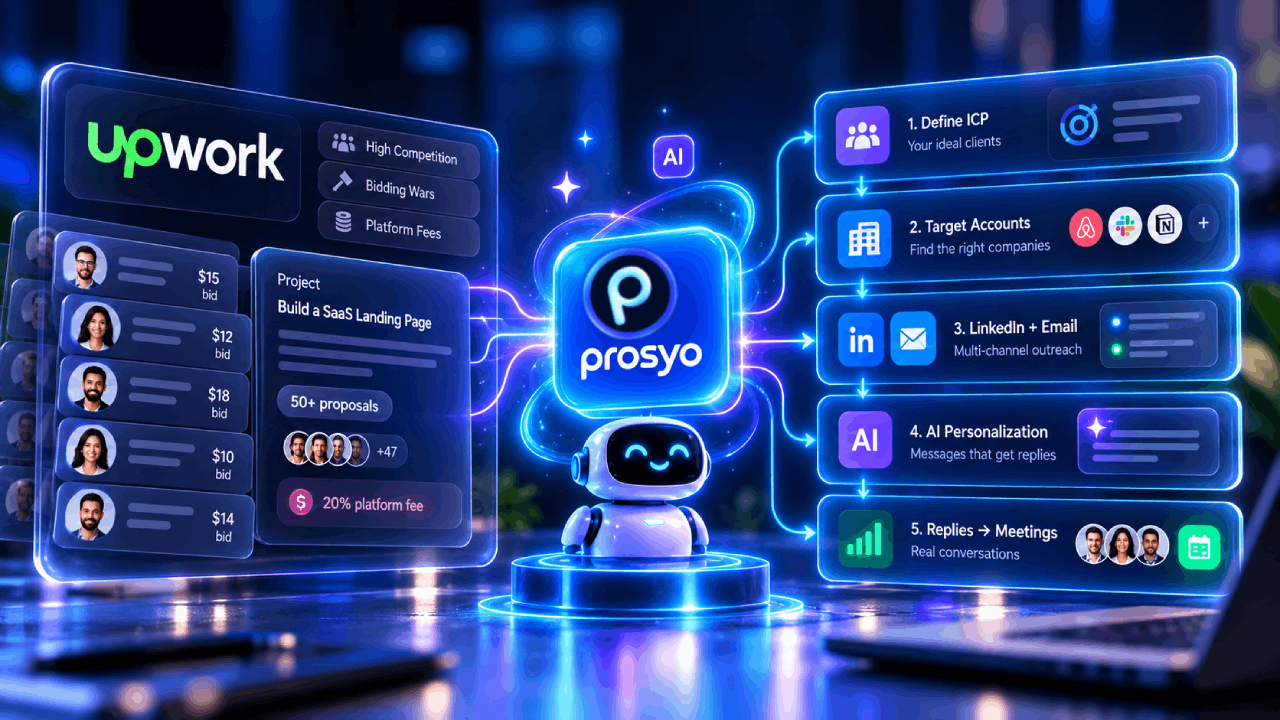
We built Prosyo because we kept running into the same problem: the tools that automated LinkedIn didn’t know anything about the prospect, and the tools that knew about the prospect didn’t run outreach. So teams stitched together four or five products and lost context at every handoff.
Prosyo is an outbound workspace that takes you from the right prospect to the first meeting. Here’s what that looks like in a LinkedIn campaign:
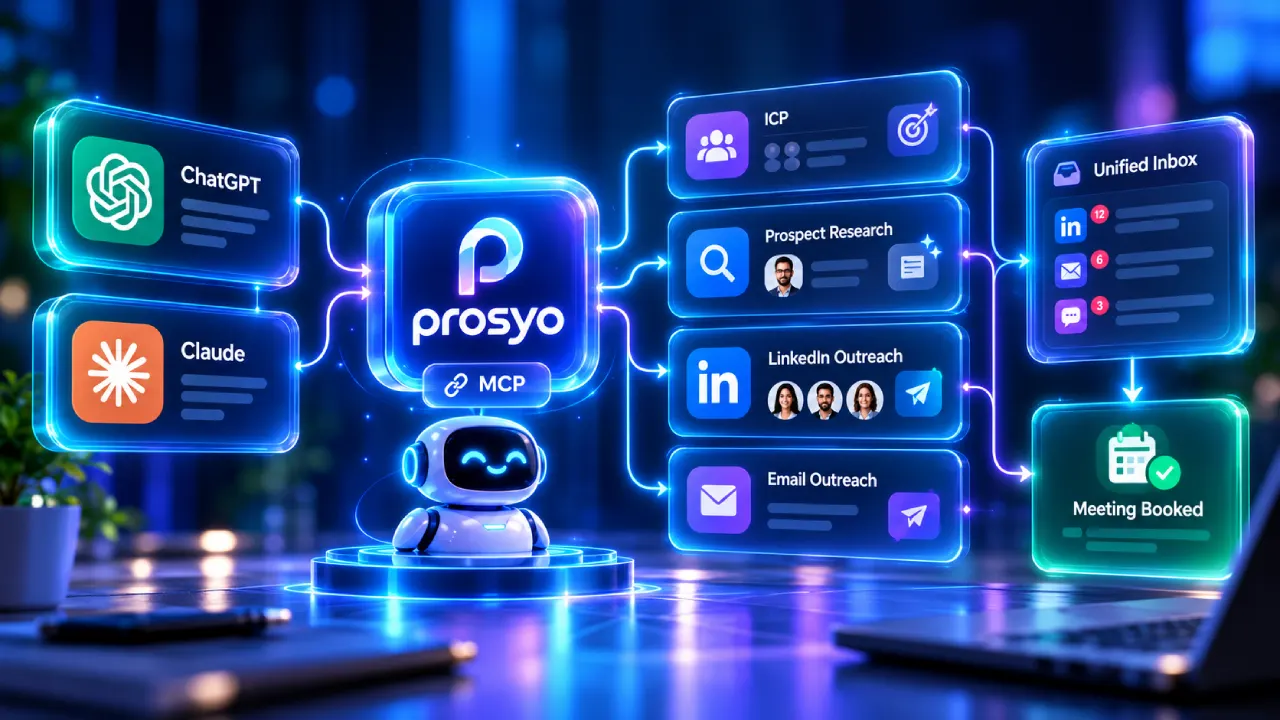
Prosyo also works with ChatGPT and Claude, so you can check campaign status, review your inbox, or draft replies from the AI assistant you already use, with confirmations required before anything important happens. If you’re curious how far AI should go in your sales process, our take on AI SDRs in 2026 explains what to automate and what to keep human.
Being honest about fit saves everyone time. If Prosyo sounds right, you can start prospecting free and launch your first campaign today.
The best LinkedIn outreach software depends on your motion. Solo sellers running LinkedIn-only campaigns often do well with cloud automation tools. Agencies managing many accounts need multi-sender platforms. Founders, agencies, and sales teams that want LinkedIn, email, AI personalization, replies, and pipeline in one place are a strong fit for connected outbound workspaces like Prosyo. Our comparison of 10 LinkedIn outreach tools breaks down the options.
LinkedIn’s User Agreement restricts third-party automation, so any tool that acts on your behalf carries some risk, and no vendor can guarantee your account won’t be restricted. You can reduce risk significantly with conservative daily limits, gradual warm-up, cloud-based execution, working-hours scheduling, a complete profile, tight targeting, and personalized messages.
LinkedIn sets weekly invitation limits that can vary by account and change over time. Rather than aiming for the maximum, stay comfortably below it, protect your acceptance rate, and withdraw old pending invitations regularly. Quality of targeting matters far more than raw volume.
Most modern LinkedIn outreach tools support importing prospects from LinkedIn search or Sales Navigator in some form. Prosyo supports LinkedIn and Sales Navigator-oriented prospecting workflows where those capabilities are available in your workspace. Always check the exact import method during your trial.
Many platforms now include email steps. The difference is whether LinkedIn and email share one campaign context or run as separate systems. Prosyo’s Multichannel plan keeps both channels inside the same campaign, with replies landing in one unified inbox.
Prices range from low-cost browser extensions to per-seat agency platforms. Most cloud tools charge per LinkedIn account per month. Prosyo starts at $19/month for Starter, $49/month for Multichannel, and $49 per seat per month for Agency / Team plans, with 24% savings on yearly billing. Check the pricing page for current details.
Yes, and it can save hours of research and drafting. The best results come when AI uses real prospect and company context, and when a human reviews a sample of messages before a campaign launches. AI should draft. You should decide what represents your brand.
It depends heavily on your industry, offer, audience seniority, and targeting quality, so published benchmarks are only a rough guide. Use your first two weeks as a baseline, then improve one variable at a time. Focus especially on positive reply rate and meetings booked, since total replies can include plenty of “not interested.”
Usually, yes, as long as you have a clear ICP and offer. For small teams, the biggest win is time: research, follow-ups, and reply tracking stop eating your week. Starting with a single focused LinkedIn campaign on an affordable plan is a low-risk way to find out.
A CRM stores and manages relationships and deals. LinkedIn outreach software creates new conversations and moves them toward a first meeting. Some platforms, including Prosyo, include pipeline context so early-stage outbound deals don’t get lost, but whether that replaces your CRM depends on your wider sales process.
The teams winning on LinkedIn in 2026 aren’t the ones sending the most messages. They’re the ones sending the right message to the right person at the right time, then replying fast when it lands.
Prosyo gives you that workflow in one place: focused prospecting, real context, AI personalization you can trust, LinkedIn and email sequences, a unified inbox, and pipeline visibility.
Start Prospecting Free or explore Prosyo’s LinkedIn outreach features. Have questions about your setup? Talk to the team.
New courses, plays that are booking meetings right now and the occasional teardown. No fluff, unsubscribe any time.

7 days free, no card. Pay later and change your mind? Full refund within 7 days.