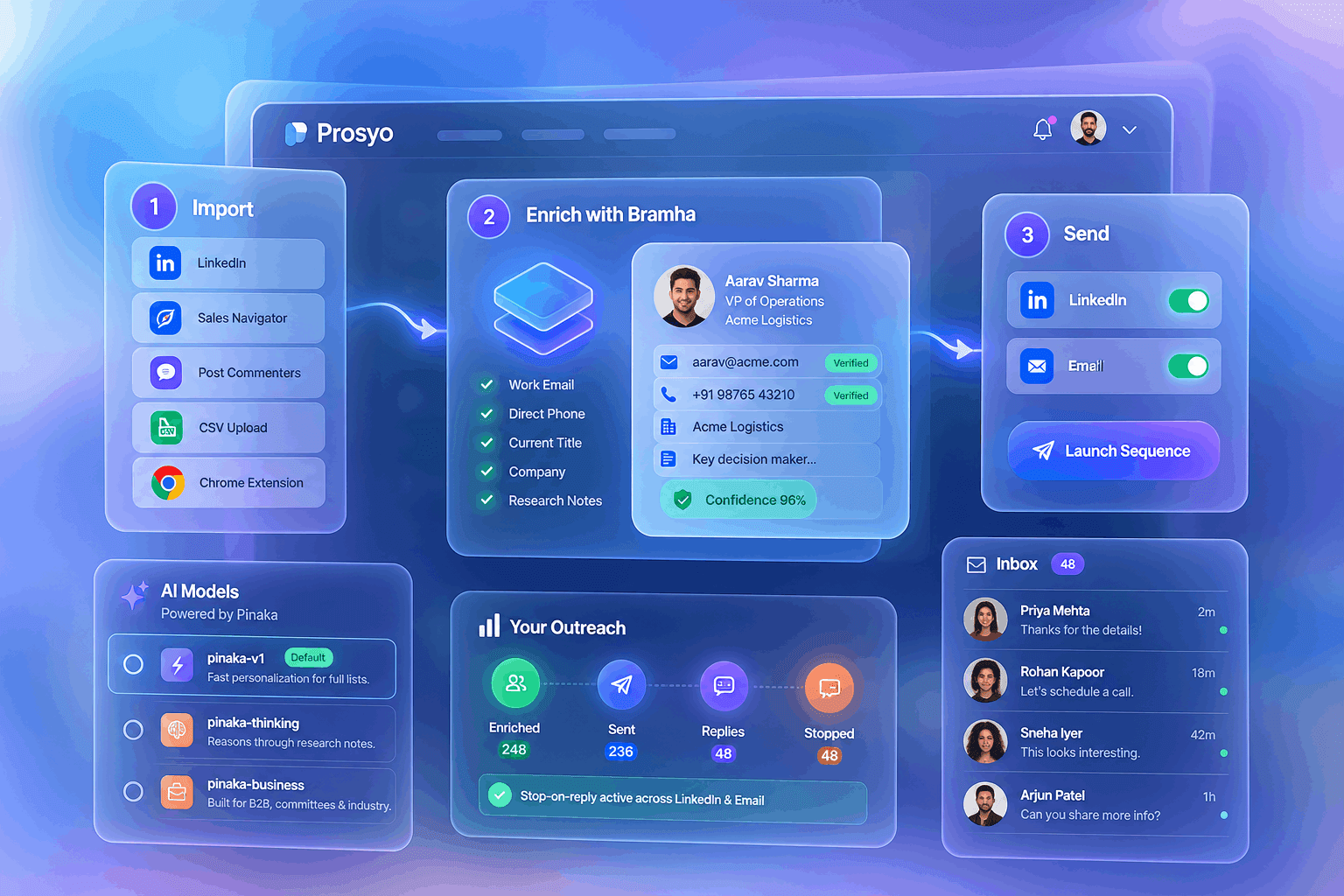
LinkedIn Outreach
September 29, 2026
17 min read




Last verified 5 October 2026. Every price below was read from the vendor’s own pricing page on that date, and each one is linked so you can check it yourself. Vendors change pricing often — a lot of the MCP round-ups currently ranking are quoting numbers that are two price changes out of date.
An MCP server for LinkedIn outreach is a connector that lets an AI assistant like Claude or ChatGPT operate your outreach platform directly — finding prospects, enriching them, building sequences, enrolling people, reading replies and drafting responses — instead of just writing text you paste somewhere else. The six that matter in 2026 are Prosyo, HeyReach, Salesforge, lemlist, Clay and Saleshandy, and the right one depends entirely on what job LinkedIn does in your outbound system.
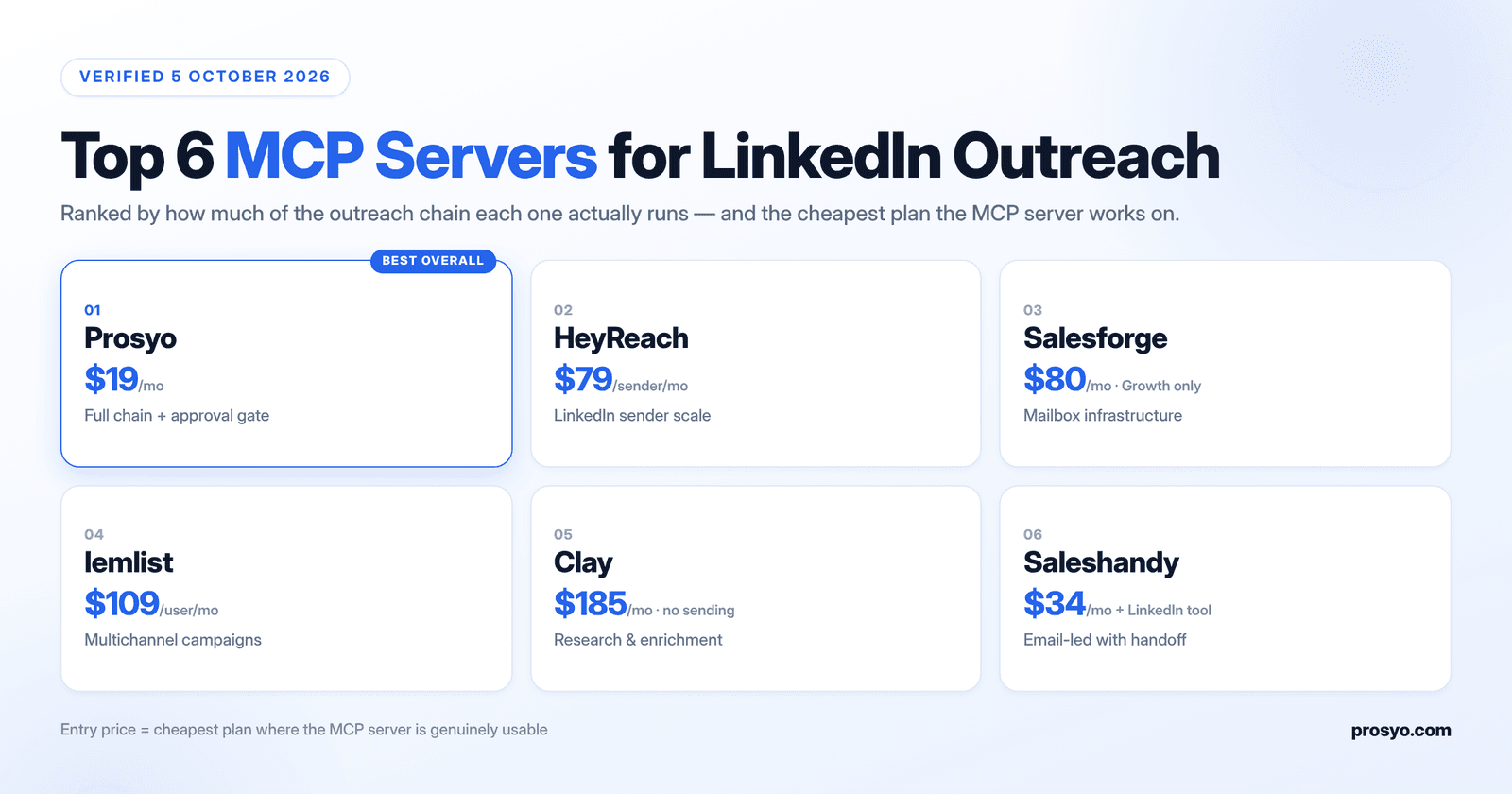
| MCP server | Cheapest plan with MCP | Native LinkedIn sending | Email in the same sequence | Best for | Main trade-off |
|---|---|---|---|---|---|
| Prosyo | $19/mo (Starter) | Yes | Yes (from $49/mo) | Founders, consultants and small teams who want one system | Newer brand than the incumbents |
| HeyReach | $79/sender/mo (Growth) | Yes | No — via Instantly or Smartlead | Agencies running many LinkedIn senders | No email infrastructure of its own |
| Salesforge | $80/mo (Growth only) | Yes (social action credits) | Yes | Teams who own domains, mailboxes and warm-up | MCP is not on the $40 Pro plan |
| lemlist | $69/mo, but LinkedIn needs $109/user/mo | Yes (Multichannel tier) | Yes | Multichannel teams adding calls, SMS, WhatsApp | Per-user pricing multiplies fast |
| Clay | Free tier, Launch from $185/mo | No | No | RevOps doing research before outreach | Not a sender — you still need one |
| Saleshandy | $34/mo annual ($41 monthly) | No — pushes to Aimfox or HeyReach | Yes (email side) | Email-led teams adding a LinkedIn step | LinkedIn means a second subscription |
Read that last column first. Most buying mistakes in this category come from comparing headline prices instead of comparing the cheapest plan that actually gives you a working LinkedIn workflow through MCP. Three of the six hide the real number one tier above the one they advertise.
The Model Context Protocol is an open standard, introduced by Anthropic in late 2024, for connecting AI assistants to external systems through a defined set of tools. In outbound terms, it is the difference between an assistant that describes your campaign and one that runs it.
That distinction matters because LinkedIn outreach is not one action. It is a chain, and the chain is where pipeline leaks:
A plain chat window helps with step 3 and nothing else. An MCP-connected assistant can do all seven, because it is calling the system that holds the prospect, the sequence, the sender and the inbox. If you want the broader picture beyond LinkedIn, our guide to MCP for sales in 2026 covers the same shift across the full outbound stack.
MCP is an operator layer, not a permission slip. LinkedIn’s user agreement and automated-activity policy still prohibit third-party software that scrapes or automates activity on the platform, and an account restriction is just as painful whether a human or an agent triggered it.
Treat that as an operating constraint, not fine print. Sender limits, account separation, conservative pacing and a documented plan for what happens when a sender gets flagged all still belong in your process. We go deeper into the specific thresholds in LinkedIn automation safety in 2026. The short version: an agent that can act faster than you can review is a liability, which is why the approval-gate question later in this guide matters more than any feature count.
This is a documented-source evaluation current as of 5 October 2026. Every pricing figure was read directly from the vendor’s own pricing page on that date, not from a third-party round-up. Where a vendor’s own blog contradicts its own pricing page, we have said so.
Each server was scored on six dimensions:
Prosyo is our product, and it is ranked first. You should discount that accordingly — so every claim in the Prosyo section below is one you can verify on the pricing page or inside a 7-day trial that needs no credit card. The sections on the other five are written from their own documentation, and we name the cases where they beat us.
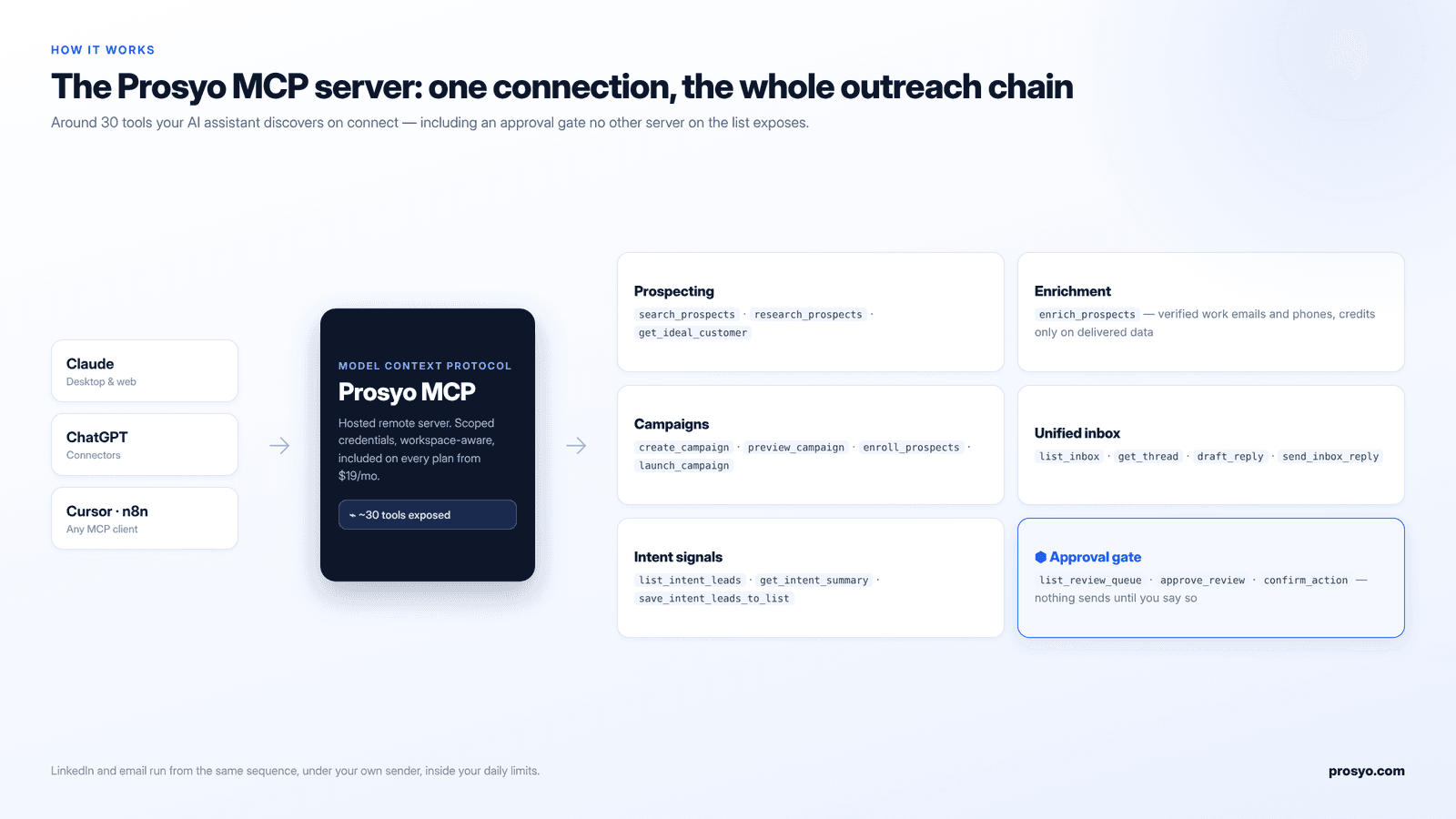
Prosyo MCP is the strongest default for one structural reason: it is the only server on this list where the entire chain — find, enrich, sequence, send on LinkedIn, follow up by email, read the reply, draft the response — sits behind one connection, on one bill, starting at $19 a month.
Everything else here either covers LinkedIn well and stops there, covers email well and hands LinkedIn to somebody else, or does the research and leaves the sending to you.
The server exposes around thirty tools across six groups, which your assistant discovers on connect:
That last group is the differentiator. Prosyo’s MCP server has a review queue built into the protocol surface: the agent can prepare a campaign, draft a batch of openers or queue a reply, but anything that touches a real LinkedIn account or a real prospect can be held for human approval first.
Every other server here relies on you writing careful prompts and remembering to review. One confused prompt at 11pm and the difference between those two designs becomes very concrete. If you are handing an AI assistant the keys to a LinkedIn account you cannot easily replace, an approval gate is not a nice-to-have.
| Plan | Monthly | Annual | What you get | MCP |
|---|---|---|---|---|
| Starter | $19 | $173.28/yr | 1 LinkedIn seat, 1 campaign, 1,000 imports, 100 AI credits, 30 Intent people | Included |
| Multichannel | $49 | $446.88/yr | LinkedIn + email in one sequence, 3 campaigns, 5,000 imports, 250 AI credits, 100 Intent people | Included |
| Agency / Team | $49/seat (min 2) | $446.88/seat/yr | A seat per sender, client workspaces, roles, REST API and signed webhooks | Included |
The number worth sitting with: $19 a month is the cheapest working LinkedIn MCP workflow on this list, by a factor of four. The nearest native LinkedIn competitor starts at $79 per sender. Salesforge’s MCP does not appear until $80. lemlist’s LinkedIn automation does not appear until $109 per user.
If you are running 50 or more LinkedIn sender accounts across a dozen client workspaces and your email stack is already solved elsewhere, HeyReach’s flat agency pricing is a structurally different offer and you should read that section properly. And if you need Prosyo to also provision domains, mailboxes and warm-up infrastructure, it does not — Salesforge does.
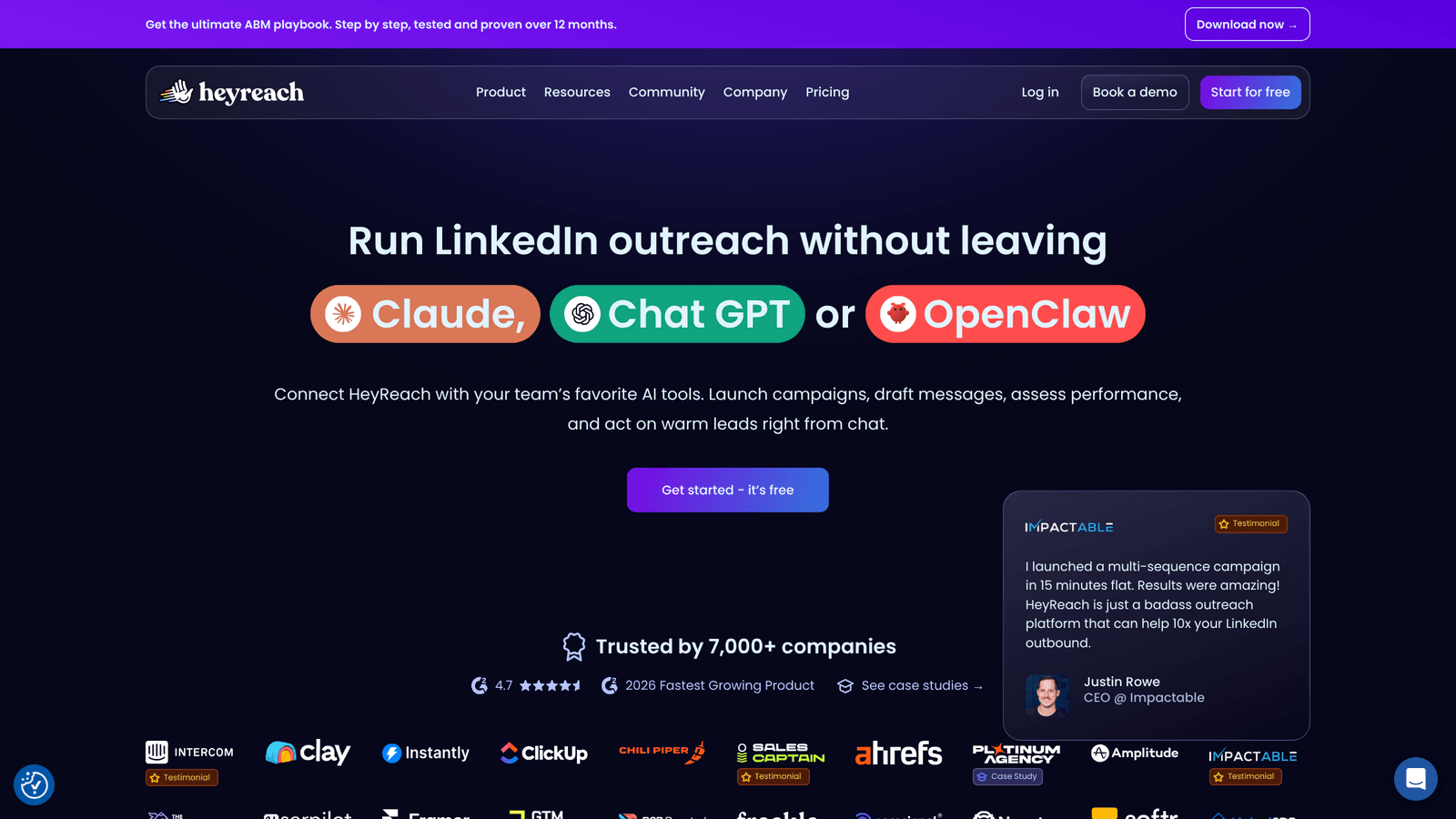
HeyReach is the LinkedIn specialist here, and it is genuinely good at the thing it does. Its hosted MCP server runs at a per-workspace endpoint and exposes roughly 25 tools covering campaigns, lead lists, conversations, sender accounts and analytics. It shipped a CLI alongside it, which is a useful signal about who the product is built for.
Most articles currently ranking for this keyword quote HeyReach’s Unlimited plan at $1,999 a month with a 500-sender fair-use cap. That is out of date. As of 5 October 2026, the official pricing page shows:
| Plan | Monthly | Senders | MCP |
|---|---|---|---|
| Growth | $79/sender | Pick your sender count | Included |
| Agency | $999 | 25 (50 available) | Included |
| Unlimited | $2,999 | Fair use, capped at 300 | Included |
The per-sender model is the whole buying case. One sender at $79 is expensive for a solo founder. Fifty senders under one flat agency fee is excellent, and no per-seat tool comes close at that scale.
Lead-gen agencies and GTM teams where LinkedIn sender scale is the job, and where cold email already lives in Instantly, Smartlead or similar. HeyReach’s workspace separation and permissions model is mature, which matters when a prompt written for Client A must never touch Client B’s campaign.
Anyone whose actual bottleneck is pipeline coverage rather than sender count. HeyReach has no email infrastructure, no warm-up, and no domain management of its own — multichannel runs through integrations with other platforms. If your problem is deliverability or enrichment quality, you are buying the wrong layer. We cover the detail in Prosyo vs HeyReach.
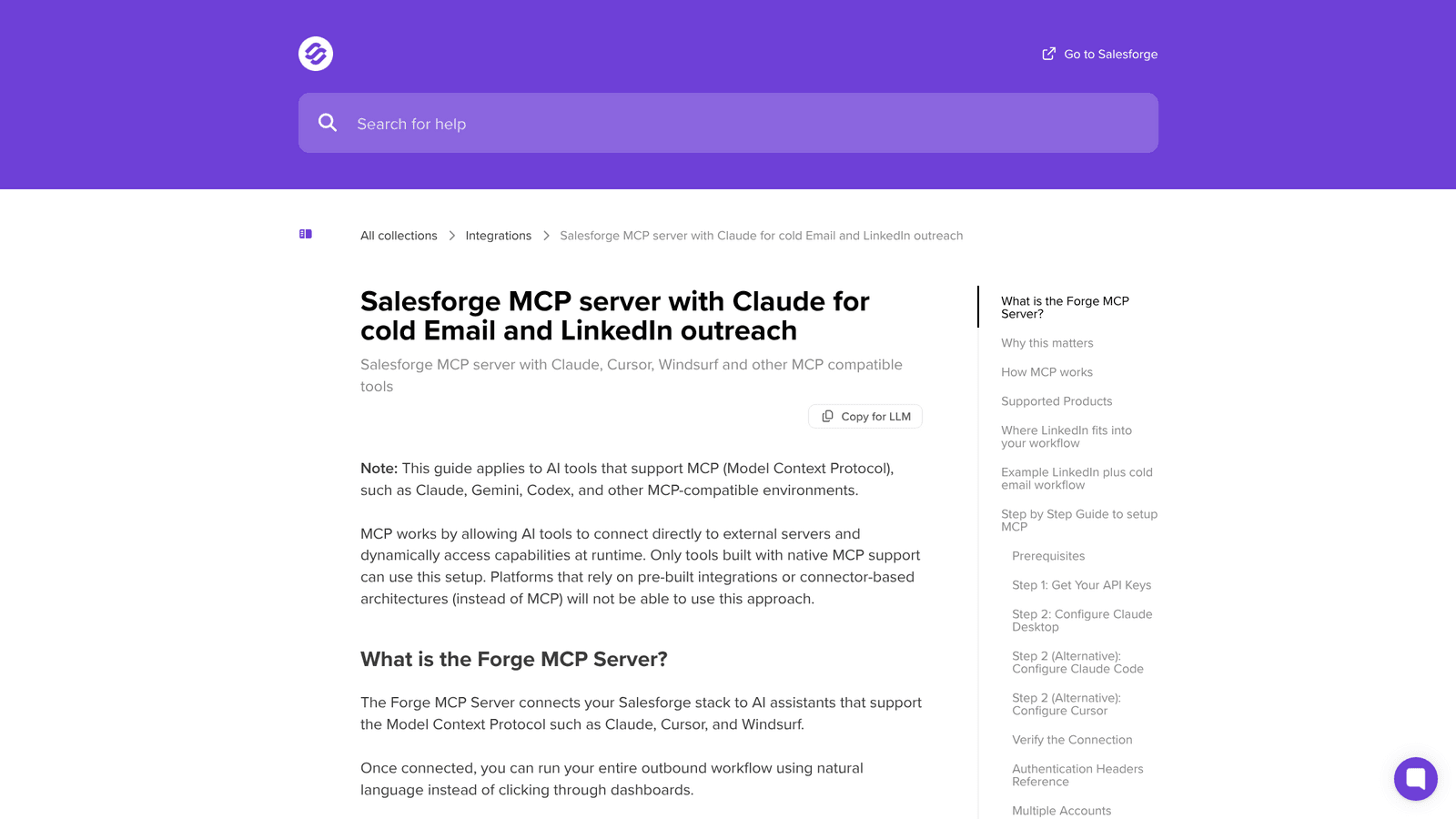
Salesforge’s Forge MCP server is the broadest on this list. It reaches across the entire Forge stack — Leadsforge for prospecting, Salesforge for sequencing, Primeforge, Infraforge and Mailforge for mailboxes and domains, Warmforge for deliverability — and lets an AI client operate all of it from one connection.
If your outbound problem is that nobody owns the infrastructure layer, this is a real advantage. You can ask one assistant to find ICP-matched profiles, enrich them, spin up a LinkedIn-plus-email sequence, check mailbox health and review campaign performance without opening five dashboards.
| Plan | Monthly | LinkedIn senders | Social action credits | MCP & CLI |
|---|---|---|---|---|
| Pro | $40 | 1 | 300/mo | Not included |
| Growth | $80 | Unlimited | 1,000/mo | Included |
| Agent Frank | $499 | AI SDR path | — | Separate product |
Two things worth flagging that the round-ups miss. First, MCP and CLI are listed as Growth-plan-exclusive features — the $40 Pro plan does not get you an MCP server at all, so the real entry price for a Salesforge MCP workflow is $80. Second, social action credits are the unit that LinkedIn work consumes: profile views, connection requests and messages all draw from that bucket, and Salesforge’s own guidance is that a profile running at full capacity needs roughly 400–500 of them a month. One sender at full tilt eats half the Growth allowance.
Teams running cold email at volume who want LinkedIn bolted onto a stack they already trust, and who genuinely need domain provisioning, mailbox rotation and warm-up inside the same operating story. The breadth is real.
Solo operators and small teams. Breadth has a cost: a server that can touch mailboxes, domains, DNC lists and sender profiles needs tight permission hygiene and documented prompt playbooks, which is overhead a two-person team will not pay back. And if LinkedIn is your primary channel rather than a supporting touch, the social-credit model will feel restrictive quickly.
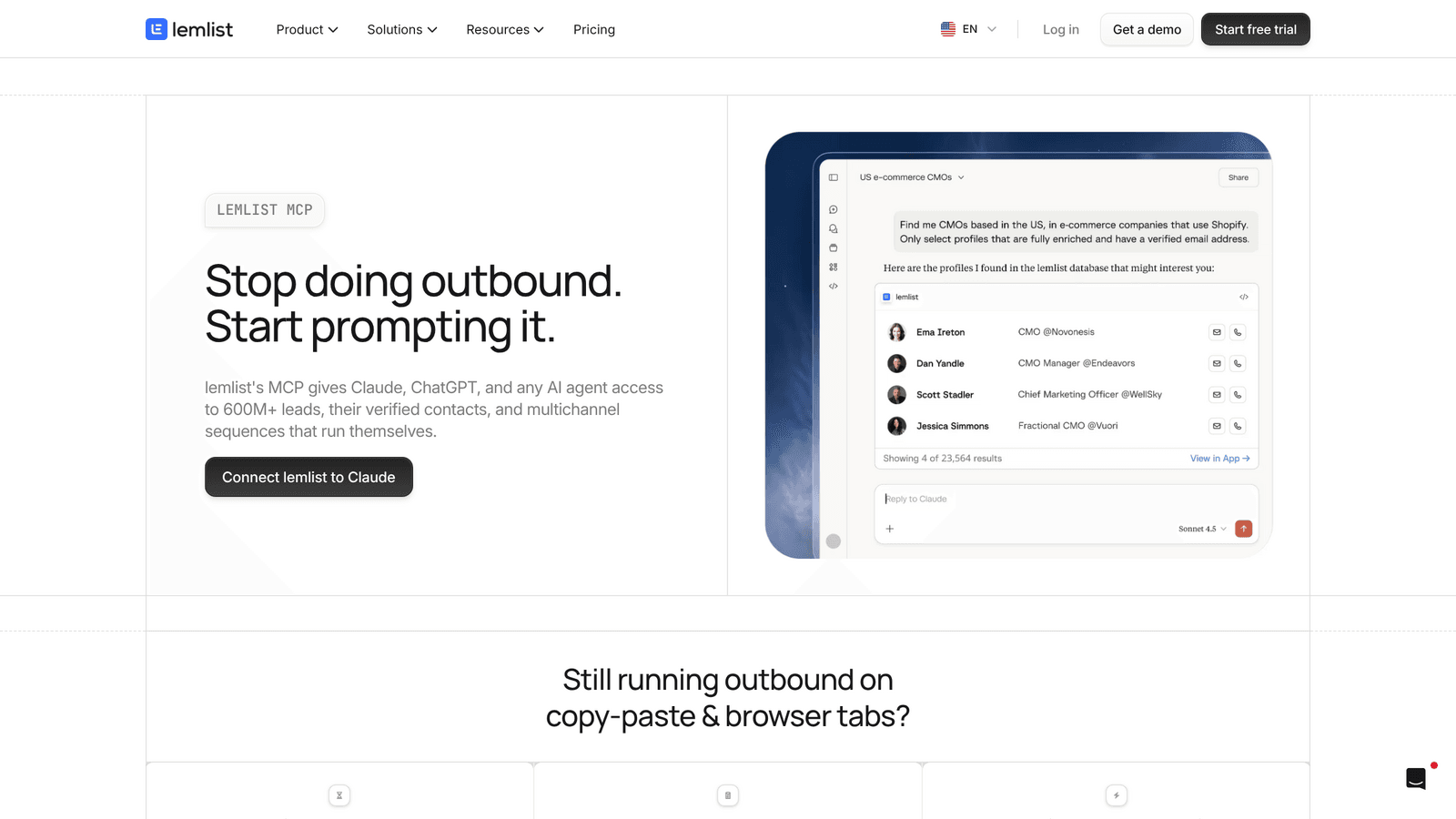
lemlist’s MCP server lives at a hosted endpoint and gives AI clients access to prospect search against a database the company now puts at 600 million+ contacts, enrichment, multichannel sequence creation, campaign launch, analytics and step-level optimisation. If you want one campaign layer across email, LinkedIn, calls, SMS and WhatsApp, lemlist is the most consolidated option on this list.
| Plan | Monthly | Annual | Pricing basis | LinkedIn automation |
|---|---|---|---|---|
| $69 | $55 | Flat — unlimited users | No | |
| Multichannel | $109/user | $87/user | Per user | Yes |
| Enterprise | Custom | Custom | Per user, 5 minimum | Yes |
The Email plan is genuinely good value because it is flat-rate for unlimited users. The moment you need LinkedIn, you move to per-user pricing — and a three-person team on Multichannel is $327 a month billed monthly. Credits also expire monthly with no rollover, so if you run out mid-month, prospecting stops.
Teams where consolidation is worth more than specialisation, and where calls, SMS or WhatsApp are genuinely part of the motion rather than a line on a feature grid. The AI-optimisation angle — asking the assistant to find the weakest step in a running sequence and rewrite it — is a real workflow, not a demo.
Anyone who will add seats. Per-user multichannel pricing with no volume discount is the most expensive scaling curve on this list. And if LinkedIn is where your pipeline actually comes from, you are paying a premium seat rate for what is not lemlist’s strongest channel. Full breakdown in Prosyo vs lemlist.
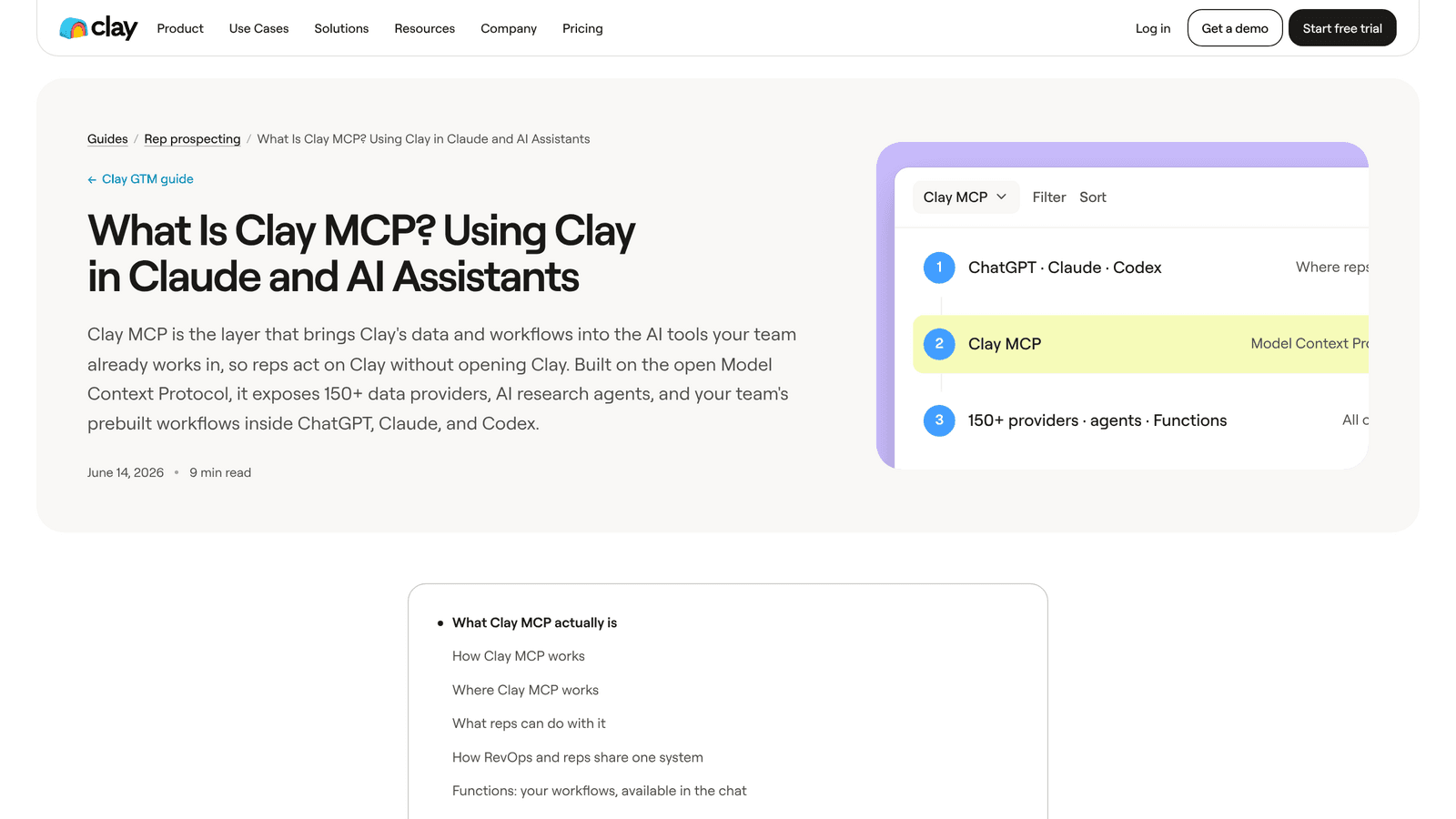
Clay is the odd one out, which is exactly why it belongs here. It sends nothing on LinkedIn. What it does is solve the problem that happens before the message: identifying the buying committee, enriching contacts, scoring accounts against your ICP, and packaging RevOps-built workflows so every rep runs the same vetted process.
The connector is OAuth-only, distributed as one-click cards inside each assistant, and new accounts get 500 free credits on first connect. Admins set per-rep credit limits and watch consumption from the MCP section of the Clay sidebar — the best cost governance of any server on this list.
Clay overhauled its pricing in March 2026, retiring the old Starter/Explorer/Pro tiers and splitting credits into two currencies: Data Credits for marketplace data and Actions for platform work. Failed lookups are no longer charged.
| Plan | Price | Included monthly usage |
|---|---|---|
| Free | $0 | 500 Actions, 100 Data Credits, 200 rows per table |
| Launch | From $185/mo | From 15,000 Actions, 2,500 Data Credits |
| Growth | From $495/mo | From 40,000 Actions, 6,000 Data Credits |
| Enterprise | Custom | 100,000+ Data Credits, annual commitment |
Budget by enrichment intensity, not by message volume. A single MCP interaction typically consumes 20–100 credits by Clay’s own estimate, and seats are unlimited on every plan including Free.
Teams where bad targeting costs more than slow execution. If your reps keep messaging the wrong person at the right account, Clay belongs in front of your sequencing tool. For enterprise motions that need Finance, IT, Operations and RevOps contacts mapped before anyone is contacted, nothing else here comes close.
Anyone looking for a LinkedIn control room. Clay is the intelligence layer and nothing else — you still need an execution layer underneath it, which means a second bill. It also depends on RevOps actually building and maintaining Functions; without that, reps invent their own prompts and the data quality advantage evaporates.
Saleshandy shipped its MCP server in January 2026 and a CLI shortly after, and both are available on every plan including the 7-day trial. Through MCP you can create and update sequences, add and map prospects, search an 852M+ contact database, verify emails, manage sender accounts and campaign status, and read live stats on replies, bounces and sender health.
For LinkedIn specifically, be clear about what you are buying. Saleshandy does not automate LinkedIn itself. Its LinkedIn Automation step pushes prospects into a campaign you have already built in Aimfox or HeyReach, and those prospects need LinkedIn URLs for the push to work. The channel runs on the other platform’s subscription.
| Plan | Annual | Monthly | Active prospects | Emails/month | MCP & CLI |
|---|---|---|---|---|---|
| Starter | $34/mo | $41/mo | 2,000 | 6,000 | Included |
| Pro | $76/mo | $99/mo | 30,000 | 100,000 | Included |
| Scale | $149/mo | $189/mo | Higher | Higher | Included |
The honest math: Starter at $41 monthly plus a LinkedIn tool at $79 and up means your real floor for a multichannel MCP workflow is around $120 a month across two vendors and two systems to reconcile.
Email-first teams where cold email is the command centre, LinkedIn is a supporting touch, and you already pay for HeyReach or Aimfox. The separation can be a feature if you want email operations and LinkedIn operations governed independently.
Anyone LinkedIn-first. The MCP path has to cross a system boundary before the channel work happens, and missing LinkedIn URLs, deleted campaigns, invalid API keys and duplicate campaign membership all become operational errors you have to handle rather than theoretical edge cases. See Prosyo vs Saleshandy for the full comparison.
Three more servers come up often enough to deserve a straight answer.
Launched February 2026 and functional, but constrained by the platform’s architecture: AI agents control individual LinkedIn accounts rather than a coordinated sender pool. Pricing is roughly $49 per seat with rented avatar accounts adding $99–$129 each on top, so costs stack as you add identities. Reasonable for small teams, awkward at agency scale.
Unipile is a unified messaging API covering LinkedIn, email, WhatsApp, Instagram and Telegram. There is no single official Unipile MCP server, but several community-built ones exist on PyPI and GitHub — one wraps around 95 tools across the full API surface, including LinkedIn search, profiles, connections, messaging, InMail and Sales Navigator filters.
This is the developer path. You get the deepest LinkedIn primitives of anything here and absolutely no campaign layer, no sequencing, no inbox, no safety rails and no vendor support. Worth it if you are building your own outbound product. A trap if you are trying to book meetings this quarter.
Apollo brought outbound execution into Claude during 2026, and its MCP is a solid data-and-sequencing layer. But like Clay it is not a LinkedIn sender, so it sits in the same “research first, execute elsewhere” bucket. If you are weighing it against a dedicated outreach platform, see Prosyo vs Apollo.io.
Here is the comparison nobody publishes: what it actually costs, per month, to have one LinkedIn sender running through an AI assistant, with email follow-up, for a solo operator and for a five-sender team.
| Setup | 1 sender + email | 5 senders + email | Vendors to manage |
|---|---|---|---|
| Prosyo Multichannel | $49 | $245 (Agency/Team, 5 seats) | 1 |
| Salesforge Growth | $80 | $80 + extra social credits | 1 |
| HeyReach Growth + Instantly | $79 + email tool | $395 + email tool | 2 |
| lemlist Multichannel | $109 | $545 | 1 |
| Saleshandy Starter + HeyReach | $41 + $79 = $120 | $41 + $395 = $436 | 2 |
| Clay Launch + any sender | $185 + sender cost | $185 + sender cost | 2 |
Two patterns fall out. For a solo operator the spread is roughly four to one between cheapest and most expensive for the same outcome. At five senders the per-seat tools start to hurt and the flat-rate ones pull ahead — which is exactly where HeyReach’s agency pricing becomes compelling and lemlist’s becomes hard to defend.
For the full seat math across fourteen LinkedIn tools rather than just the six with MCP servers, we maintain a separate LinkedIn outreach pricing comparison.
Start with the job LinkedIn performs in your system, not with the feature grid.
Then decide what you will not automate. A mature team has a written LinkedIn operating policy: daily action ceilings, sender health checks, a mandatory human review point, reply handoff rules, and a defined response when a sender shows restriction signals. MCP should make those rules easier to execute. If it makes them easier to skip, you have bought the wrong server.
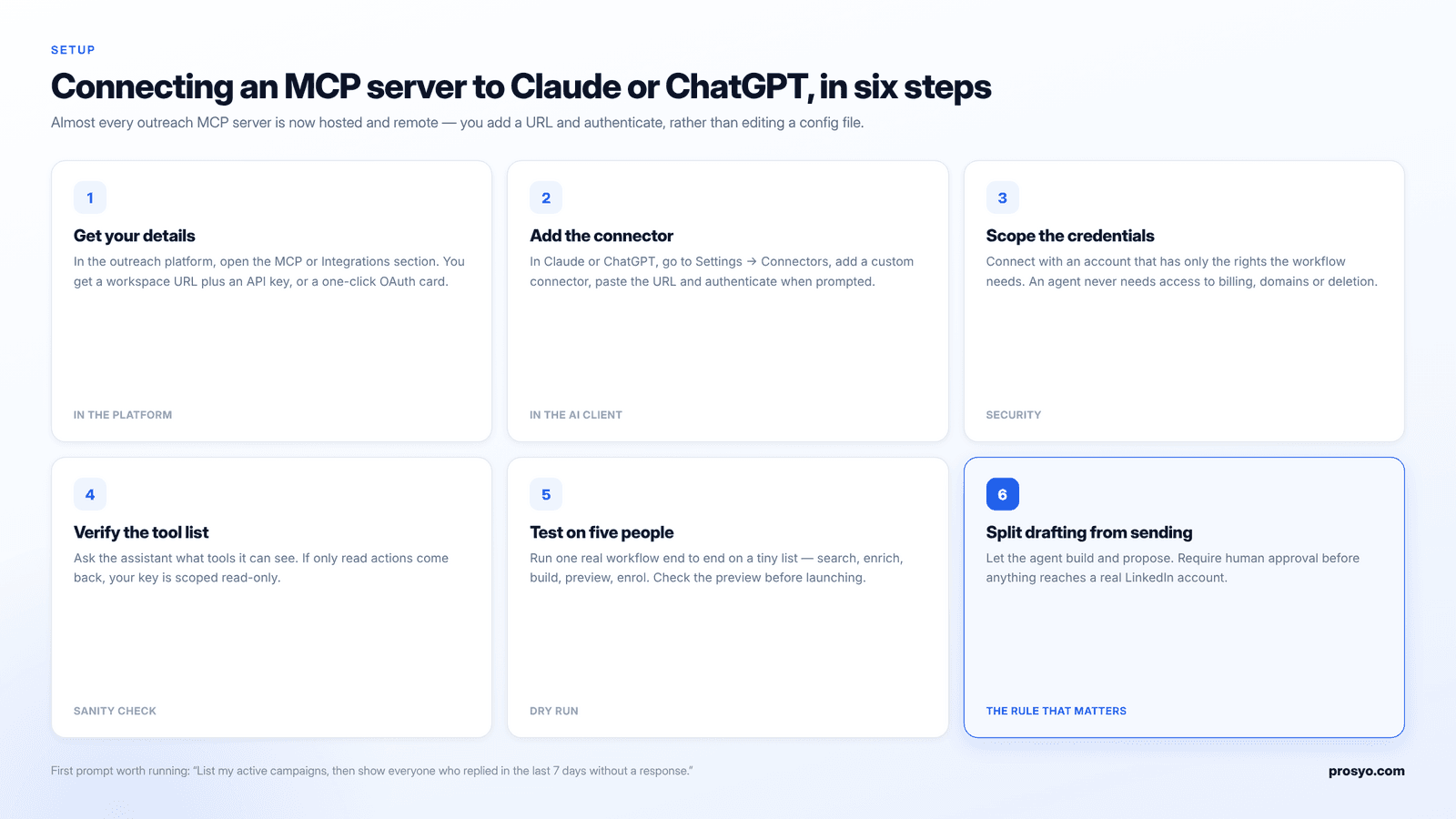
Setup has got much simpler over the last year. Almost every server in this guide is now a hosted remote server rather than a local process.
A useful first prompt once you are connected: “List my active campaigns, then show me every prospect who replied in the last seven days and has not had a response yet.” If the server can answer that, it can do the work. If it cannot, it is a read-only connector wearing a trench coat.
LinkedIn does not publish a numeric automation limit. It publishes triggers. In practice, an established account can sustain roughly 20–25 connection requests a day without drawing attention, and new or recently warmed accounts should sit well below that.
What changes when an AI agent is involved is the speed at which a mistake compounds. A human sending too fast notices by lunchtime. An agent executing a badly scoped instruction gets through the whole list first. Four rules that hold regardless of which server you pick:
The detail on triggers, warm-up schedules and recovery is in our LinkedIn automation safety guide.
It is a connector built on the Model Context Protocol that lets an AI assistant operate your LinkedIn outreach platform directly. Instead of asking the assistant to write a message and pasting it into a dashboard, the assistant can search prospects, enrich them, build a sequence, enrol people, read replies and draft responses by calling the platform’s own tools.
Prosyo for most teams, because it covers the full chain from prospecting to reply on one bill from $19 a month and includes an approval gate. HeyReach if you manage many LinkedIn sender accounts for clients. Clay if your real problem is targeting rather than sending.
Not a complete one. Clay has a free tier with 500 Actions and 100 Data Credits a month, but it cannot send on LinkedIn. Community-built Unipile MCP servers are free and open source but still require a paid Unipile subscription and give you no campaign layer. Prosyo’s 7-day trial requires no credit card and includes MCP access, which is the cheapest way to test a complete workflow.
MCP itself is just a connection standard and changes nothing about LinkedIn’s rules. LinkedIn’s user agreement prohibits third-party software that scrapes or automates activity on the platform, and that applies to any automation tool regardless of whether a human or an agent triggers it. Keep daily activity conservative, separate your senders, and treat account restriction as a real risk you are managing rather than one the tool absorbs for you.
Yes. Every server in this guide supports both, and most also work with Cursor, Windsurf, n8n and other MCP-compatible clients. Clay additionally supports Codex. The connection method differs slightly — some use a URL plus API key, Clay uses OAuth only — but the available tools are the same across clients.
No. HeyReach includes MCP server access on every plan, from Growth at $79 per sender per month upward. You cannot use it without an active HeyReach subscription, so the real cost is the plan, not the connector.
Prosyo Starter at $19 a month is the cheapest plan on which a native LinkedIn MCP workflow actually runs. Saleshandy is cheaper on paper at $34 a month annual, but it cannot send on LinkedIn without adding Aimfox or HeyReach, which puts the real floor above $100.
On most of these servers, yes — if you give the agent a broad enough instruction, it will execute. Prosyo is the exception on this list: its MCP surface includes a review queue and explicit action confirmation, so sends can be held for human approval. On the others, the discipline of separating drafting from activation is yours to maintain.
Only if your enrichment needs exceed what your platform provides. Clay’s strength is waterfall enrichment across 150+ providers and custom RevOps workflows, which is genuinely deeper than anything built into a sending platform. But if your platform returns verified emails and phones at acceptable accuracy, a second $185-a-month subscription is hard to justify.
Something read-only and useful: list your active campaigns and show everyone who replied in the last week without a response. It proves the connection works, surfaces real work you are behind on, and risks nothing. Move to building and enrolling once you trust the tool list.
The best MCP server for LinkedIn outreach is not the one with the longest tool list. It is the one that connects LinkedIn to the next real step in your system without a second subscription, a second dashboard and a second place for prospects to fall through.
If you want LinkedIn outreach to become pipeline instead of another tab to babysit, build the system in order: targeting first, LinkedIn touch second, email follow-up third, reply handling fourth, measurement always. Then pick the server that can run all five without asking you to log into something else.
The honest test is not “can it send a message?” Any of these can. The test is whether one prompt can move a real ICP segment through research, enrichment, a LinkedIn touch, an email follow-up and a drafted reply — with you approving the parts that matter — without the workflow breaking.
Keep reading: MCP for sales in 2026 · Best LinkedIn outreach tools · 60 LinkedIn outreach templates · B2B buying intent signals · Multichannel outreach guide